Download
(71 Kb)
Download
Updated: 11-19-12 03:15 AM
Pictures
File Info
Compatibility:
Mists of Pandaria (5.0.4)
Updated:11-19-12 03:15 AM
Created:unknown
Downloads:24,150
Favorites:105
MD5:
Categories:Rogue, Druid, Warrior
NugEnergy  Popular! (More than 5000 hits)
Version: 4.3.5
by: d87 [More]
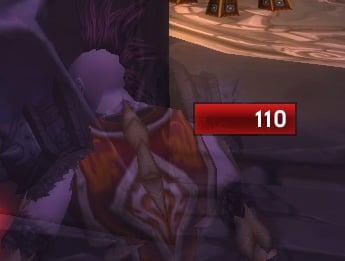
Rage and energy monitor.
For energy text value is updated every 5pts, so it's easier on the eyes.
You can toggle support for focus, runic power and monk energy

(Addon is visible only during combat or in stealth)

Slash command:
/nen
/nen unlock - enable dragging

There's not much configuration in-game, but you can find some additional options
at the top of NugEnergy.lua: width, height, texture, color, font
4.3.5:
Second level of glow for rage
Forgotten monk toggle command added
4.3:
glow when near max rage
untested monk support
bugfix for druid energy text
4.2.4: Bugfix, outline option
4.2.3: Warlock bugfix + shards and embers support for the sake of completeness
4.2.2a: fixed a bug on druids
4.2.2: Showing during meta regardless of combat
4.2.1a: hotfix
4.2.1:
Addon frame is now shown when unlocked

4.2.0:
ToC Updated to 50001
Added support for demonic fury(warlock demo bar) and runic power

4.1.1:
Marks

4.1.0: (cataclysm update)
TOC bumped to 40100
Moved to UNIT_POWER
Optionally can be enabled for warriors/bears and hunters
Different color for assa rogue execute phase

4.0.1: option to disable statusbar ( onlyText = false/true )

4.0 is a revisited version, a lot more compact and easier to maintain.
marks were removed, but you can still use 3.0 from archive tab.

3.0.2:
fix for shadow dance rogues.
Archived Files (14)
File Name
Version
Size
Author
Date
4.3
71kB
d87
11-07-12 10:35 PM
4.2.4
35kB
d87
09-21-12 06:21 AM
4.2.3
35kB
d87
09-09-12 06:47 AM
4.2.2a
34kB
d87
09-03-12 12:37 AM
4.2.2
34kB
d87
08-30-12 10:41 PM
4.2.1a
34kB
d87
08-30-12 02:36 AM
4.2.1
34kB
d87
08-29-12 11:22 PM
4.2.0
34kB
d87
08-28-12 10:06 AM
4.1.1
34kB
d87
03-28-11 10:56 AM
4.1.0
33kB
d87
03-26-11 07:40 AM
4.0.1
101kB
d87
12-09-09 10:46 PM
4.0
100kB
d87
12-08-09 01:52 AM
3.0.2
116kB
d87
07-19-09 10:30 PM
3.0ю1
116kB
d87
11-05-08 08:36 PM


Post A Reply Comment Options
Old 11-19-12, 11:07 AM  
d87
A Warpwood Thunder Caller
AddOn Author - Click to view AddOns

Forum posts: 98
File comments: 422
Uploads: 33
Runic power is there, just disabled by default (/nen runic). Change onlyText variable at the top of NugEnergy.lua to remove bar.
Tho indeed i should probably add execute indication and dump warnings to DK too.
d87 is offline Report comment to moderator  
Reply With Quote
Old 11-19-12, 10:19 AM  
unstoppixel
An Aku'mai Servant
 
unstoppixel's Avatar
AddOn Compiler - Click to view compilations

Forum posts: 37
File comments: 136
Uploads: 2
Thumbs up DK Love

Would love to see Runic Power added to the list for us DK's too. Also, the ability to just see the number without the bar, if that's not already possible.
__________________
unstoppixel is offline Report comment to moderator  
Reply With Quote
Old 11-11-12, 12:34 AM  
reanism
A Kobold Labourer

Forum posts: 0
File comments: 30
Uploads: 0
thanks

all i wanted to see was demonic fury. awesome. will try that.
reanism is offline Report comment to moderator  
Reply With Quote
Old 11-10-12, 09:28 PM  
d87
A Warpwood Thunder Caller
AddOn Author - Click to view AddOns

Forum posts: 98
File comments: 422
Uploads: 33
well if you don't need demonic fury too then just "/nen demonic" & /reload. It'll disable all warlock stuff.
If you need it, then find:
Code:
            if spec == 2 then
                GetPower = function(unit) return UnitPower(unit, SPELL_POWER_DEMONIC_FURY) end
                GetPowerMax = function(unit) return UnitPowerMax(unit, SPELL_POWER_DEMONIC_FURY) end
                -- self:RealignMarks({200})
                PowerFilter = "DEMONIC_FURY"
                self:RegisterEvent("UNIT_AURA")
                -- self:RegisterEvent("PLAYER_REGEN_DISABLED")
            elseif spec == 3 then
                ...
            elseif spec == 1 then
                ...
            end
make it:
Code:
                self:RegisterEvent("UNIT_AURA")
                self:RegisterEvent("PLAYER_REGEN_DISABLED")
                self:RegisterEvent("UNIT_POWER")
            else
                self:UnregisterEvent("PLAYER_REGEN_DISABLED")
                self:UnregisterEvent("UNIT_AURA")
                self:UnregisterEvent("UNIT_POWER")
                PowerFilter = nil
                self:SetScript("OnUpdate", nil)
                self:Hide()
            end
Last edited by d87 : 11-10-12 at 09:32 PM.
d87 is offline Report comment to moderator  
Reply With Quote
Old 11-10-12, 05:39 PM  
reanism
A Kobold Labourer

Forum posts: 0
File comments: 30
Uploads: 0
thx for the addon.

how can i hide the bar for shard/ember?
reanism is offline Report comment to moderator  
Reply With Quote
Old 10-15-12, 12:49 PM  
muck6792
A Kobold Labourer

Forum posts: 0
File comments: 19
Uploads: 0
Yeah, thank you mate i got it.
muck6792 is offline Report comment to moderator  
Reply With Quote
Old 10-15-12, 12:10 PM  
d87
A Warpwood Thunder Caller
AddOn Author - Click to view AddOns

Forum posts: 98
File comments: 422
Uploads: 33
You probably had it unlocked, it doesn't disappear that way at all
When locked it's only visible in combat and in stealth. If you really don't want in stealth, in nugenergy.lua find something "and IsStealthed()", remove it.
Last edited by d87 : 10-15-12 at 12:11 PM.
d87 is offline Report comment to moderator  
Reply With Quote
Old 10-15-12, 11:41 AM  
muck6792
A Kobold Labourer

Forum posts: 0
File comments: 19
Uploads: 0
Hi first of all nice addon. i like it.

One little Question: Is there a way to only show it in combat? I dont want to see in staelth or out of combat. Only when i get infight.
Last edited by muck6792 : 10-15-12 at 11:41 AM.
muck6792 is offline Report comment to moderator  
Reply With Quote
Old 09-21-12, 04:42 AM  
Lanaisha
A Kobold Labourer

Forum posts: 0
File comments: 5
Uploads: 0
Originally Posted by d87
Thanks!
Lanaisha is offline Report comment to moderator  
Reply With Quote
Old 09-20-12, 08:30 PM  
d87
A Warpwood Thunder Caller
AddOn Author - Click to view AddOns

Forum posts: 98
File comments: 422
Uploads: 33
Last edited by d87 : 09-20-12 at 08:32 PM.
d87 is offline Report comment to moderator  
Reply With Quote
Old 09-20-12, 04:33 AM  
Lanaisha
A Kobold Labourer

Forum posts: 0
File comments: 5
Uploads: 0
Originally Posted by d87
Even when you're in combat/stealth again? Rogue or druid? I couldn't reproduce it
It's supposed to be only visible in stealth and combat or when unlocked
I play a rogue. And no it doesn't come back when I go into stealth or combat...

My settings are:
local tex = [[Interface\AddOns\NugEnergy\statusbar.tga]]
local width = 100
local height = 30
local font = [[Interface\AddOns\NugEnergy\Emblem.ttf]]
local fontSize = 25
local color = { 1.0, 0.96, 0.41 }
local color2 = { 1.0, 0.96, 0.41 } -- for dispatch and meta
local textcolor = {1.0,0.95,0.14}
local textoutline = true
local onlyText = true
Last edited by Lanaisha : 09-20-12 at 04:35 AM.
Lanaisha is offline Report comment to moderator  
Reply With Quote
Old 09-19-12, 09:30 PM  
d87
A Warpwood Thunder Caller
AddOn Author - Click to view AddOns

Forum posts: 98
File comments: 422
Uploads: 33
But after combat it disappears and never comes back.
Even when you're in combat/stealth again? Rogue or druid? I couldn't reproduce it
It's supposed to be only visible in stealth and combat or when unlocked
d87 is offline Report comment to moderator  
Reply With Quote
Old 09-19-12, 05:28 PM  
Lanaisha
A Kobold Labourer

Forum posts: 0
File comments: 5
Uploads: 0
Thanks

Thank you for the fast update. However with the new update it's acting a bit odd when not using a bar. It shows if I do a /rl in stealth, and keeps showing in combat. But after combat it disappears and never comes back.

Thanks
Lanaisha is offline Report comment to moderator  
Reply With Quote
Old 09-18-12, 02:12 PM  
d87
A Warpwood Thunder Caller
AddOn Author - Click to view AddOns

Forum posts: 98
File comments: 422
Uploads: 33
Re: Text color

Turned out textcolor was bugged. I also added option for outline.
get updated version here: https://github.com/rgd87/NugEnergy/zipball/master

as for other fonts, you can replace Emblem.ttf with other font, or just specify a new font path
Last edited by d87 : 09-18-12 at 02:13 PM.
d87 is offline Report comment to moderator  
Reply With Quote
Old 09-18-12, 11:51 AM  
Lanaisha
A Kobold Labourer

Forum posts: 0
File comments: 5
Uploads: 0
Text color

I don't seem to be able to change the text color. I've tried changing it to {1.00, 0.96, 0.41} which is a light (rogue) yellow, but nothing happens. I've tried setting the same color for the bar which does work, so I don't think it is the format of the color that's wrong?

Another thing that would be nice, I have no idea if it is complicated or not to add, is an outline (or maybe a few different ones) for the font.

And thanks for a nice addon!
Lanaisha is offline Report comment to moderator  
Reply With Quote
Post A Reply


Category Jump:



