| Go to Page... |

| Updated: | 12-02-11 11:45 PM |
| Created: | unknown |
| Downloads: | 733,195 |
| Favorites: | 1,831 |
| MD5: |
Power Auras Classic 

Mists of Pandaria Notice
The official 5.0 release will be ready in a couple of weeks time for general testing. Until then an unofficial patch is available here.
Credits
Sinsthar (base & original concept) - Garstiger (continued) - Dridtz (continued) - Smacker & Meorawr (continued)
Background
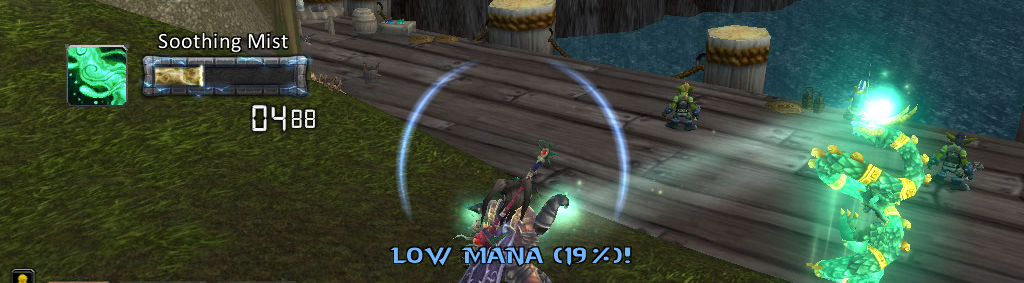
Designed to give visual or audible cues to the user in response to in-game events, such as gaining buffs or debuffs. Types of cues range from simple texture displays to stack counters, timers to timer bars, and are fully user-configurable. Can be animated or have sounds attached as well.
How to Use
Tutorials will be written and linked here soon, stay tuned!
Reporting Issues
Go to the CurseForge site and Submit a Ticket. Please do not suggest features via the ticket system, and instead use our UserVoice forum.
If you do submit a ticket, we will reply if more information is requested. If no additional information is given in response, we will mark the ticket as Invalid. Feature suggestions are immediately marked invalid.
Feature Requests
There is a UserVoice forum for adding and discussing new features. Submit all feature requests here, but please do not duplicate requests. Duplicates will be exterminated. Painfully.
Looking for Help!
We're always looking for a helping hand. You don't need to be an expert coder to help us out, we've plenty of things that need people to oversee. Of course, knowing code has some benefits - ever wanted to get a feature implemented? Maybe fix a pesky bug that we said we'd fix two months ago? Now's your chance!
- Full addon development / lua apprenticeship offered
- Fix that pesky bug
- Get that feature you always wanted working
- Feel the satisfaction of giving something back
- See your name in lights in the release notes!
- Give a little or as much time as you can afford
Contact me here via a PM or email me sammackrill[AT]gmail.com.
TOC bump to 4.3.
Bug Fixes:
Fixed an issue with linked auras where multiple auras in the chain are disabled. Probably.
Fixed a large amount of debuff ID types.
Fixed divide by zero issue with PowerAurasRole.lua, and any other possible issues with Health/Power type auras.
Fixed a possible issue with the stances dropdown not filling correctly.
Version 4.22
Additions:
Added Invert Timer support to Totems. That's right Shamans, I love you.
Limited Strata support has been patched in, there's no configuration element for this (it's unsupported). To change the strata either export an aura, modify the export string (add "strata:LOW;" to the end, replacing LOW with the desired strata) and reimport, or modify your saved variables.
Aura #182 was missing. This has been rectified.
Changes:
Fixed a bug with chat output when a sound file was loaded and played but the API said otherwise.
Aura glow defaults to off.
Updated tooltip for Pet Stance type.
Removals:
Removed some unused files.
Version 4.21
This release is 4.2 compatible.
Additions:
Added Pet Stance activation type, which will activate if your pet is in Aggressive/Assist/Defensive/Passive mode.
Changes:
Removed 4.1 compatibility code.
Minor changes to Blizzard options UI, to compensate for the ridiculously large amount of weight it put on.
Pulse animation (while not in Old Animations mode) has had some minor changes done to it, it is now similar to the Blizzard one in terms of scale and smooths a little bit differently. These changes have effectively fixed the animation to prevent animations flickering.
Bug Fixes:
Buffs and debuffs are now properly checked on the whole group.
Happiness auras are gone. Really now. If you had them, they'll be fixed, I PROMISE.
Aura exports should fail less.
Version 4.20
This version has the codename "Yo dawg I heard you like updates".
Bug Fixes:
Blizzard bumped the client version number in their most recent fast patch which triggered some 4.2 PTR compatibility code to activate, this in turn may have inadvertently broken Spell Alert auras. Hence the fix.
Version 4.19
Bug Fixes:
Holy Power should be working again, sorry guys. We didn't pick this up in the testing since there were no changes to the UI.
Version 4.18
Additions:
Higher quality versions of Blizzard's spell overlay textures have been included, as well as some new ones.
Changes:
Multiple default settings have been modified, including but not limited to Locked/Unlocked Auras, Not Resting and Allow Inspections.
The Pulse animation has had some improvements done to it behind the scenes. It's still broken as a result of the API changes.
Text Auras have had their animations forcefully disabled until Blizzard fixes the animation bugs.
Bug Fixes:
Players using Spell Cooldown auras for pet abilities should once again find that their auras do not need the friendly target condition to be met.
Spell Cooldown auras should no longer freak out if the spell is referenced as an ID number, but no longer exists.
Known Issues:
None.
Links:
CurseForge Tickets: http://wow.curseforge.com/addons/powerauras-classic/tickets/
Plate of Cookies: http://tinyurl.com/5ux4yhr
Version 4.17
This release is compatible with the 4.1 patch, it is not backwards compatible with the 4.0 client.
There are known issues with this release dealing with animations, these appear to be due to bugs within the animation API itself and the only known workaround is to switch on Old Animations.
ADDED: A new option is available which will adjust the behaviour of the export system, if you were experiencing a bug where your aura exports were empty then you should enable this as a workaround.
ADDED: Unit Match activation type. This is still a beta quality activation type and may not always perform as expected, please report any bugs through the ticket system on Curse.
ADDED: Couple more debuff ID's.
CHANGE: Action usable macro fix has been reverted, caused more issues than it solved.
REMOVED: Animation FPS slider, as Blizzard has dropped support for this.
Version 4.16a
FIX: Stacks work again, sorry guys!
Version 4.16
ADDED: Lots of class and engineering debuff ID's have been added, credit goes to Vaugn2 for assisting us greatly with this.
ADDED: Ability to track Buff Type.
ADDED: Stacks can now be displayed in their original sizing format - check the "Wider Digits" box to do so.
CHANGE: Export dialog will now display a reason for transfer failure.
CHANGE: Export dialog also now shows a timer, and correctly updates even if the dialog is closed.
FIX: Spell Alert now functions properly with procs such as Lava Surge!
FIX: Now works with the 4.1 PTR (there is an issue with animations on the PTR, use the Old Animations to bypass this).
FIX: Auras should now initialize correctly and hopefully will not require a reload to work properly.
FIX: Rare import bug regarding stacks has been corrected.
Version 4.14
==Meorawr==
FIX: Nil error on selecting custom texture checkbox.
FIX: Stacks now scale properly.
CHANGE: Stacks can now show absolutely any number of stacks - no limitation.
Version 4.13
FIX: nil error
UPDATE: Russian translations (thanks Владимир Средних)
==Meorawr==
FEATURE: Ingame aura sharing, use the export buttons and choose the player to send your aura/set to
FEATURE: Block incoming auras setting in ESC>>Interface>Addons>>PAC
CHANGE: Stacks can not show up-to 999
FIX: All sounds should now use the Master channel
Version 4.12
FIX: nil error
FIX: Asian localisation issue
CHANGE: Druids' Magic Mushroom now treated as a totem
Version 4.11
FIX: PathToAuras issue
FIX: Localisation issue
CHANGE: Sounds now play on master channel
FIX: Reset position button now works
Version 4.10
FEATURE: Global settings for custom sounds and aura textures
FEATURE: Move auras with the mouse (+ cursor keys when pointer over aura), added lock button
CHANGE: OwnSpell renamed Spellcooldown
FIX: Spell-id matching when not in spell-book
FEATURE: Add global paths
FIX: Erroneous matching when similar names
FIX: Timer invert issue
FIX: Old style imports now work again
Version 4.9
Fix: initialisation bug - PAC would sometimes seem like it wasn't working at all on first load
Version 4.8
FIX: Timer invert Below / Hide above was broken
FIX: Timer invert Below / Hide above was not being exported
Version 4.7
FIX: Delete/Move bug (oops sorry)
FIX: Stacks not hiding properly when in a multi-aura chain
CHANGE: Removed druid form restriction on combo points
Version 4.6
FIX: Pet happiness (see wiki)
FIX: Slot Aura crash
UPDATE: Russian locale - thanks to Jakov
UPDATE: Chinese locale (zhTW) - thanks to 吳宗欽
CHANGE: Optimizations for speed
FIX: Text aura updating
FIX: Purgeable Spells
FIX: %INT substitution in text auras
UPDATE: GTFO - Friendly fire
Version 4.5
FEATURE: Can now track pet spell cool-downs via SpellCooldown aura
FEATURE: Spell alerts on instant spell can set the duration on the animation tab
FIX: Transparency on some auras
CHANGE: Mana and Health now have better default icons
FIX: Global sliders too long
FEATURE: Self PvP flag can now show timer
FIX: Do not show instant spells as interruptable
Version 4.4
FIX: Crash with badly formatted multi-ids
Version 4.3
FIX: False positive matches when using SpellIds and MySpellCooldowns
FIX: Sometimes linked auras would get missed if inactive
FIX: Purgeable spells logic rewritten
FIX: Stealable spells logic rewritten
FIX: GCD spell ids updated
Version 4.2
FIX: False positive matches when using SpellIds
FIX: Mana update issue
FEATURE: 8 missing Blizzard Power Aura textures added
Version 4.1
FIX: Druid spammage - sorry dudes!
Version 4.0
FIX: Import bug for tri-state booleans
CHANGE: +/- buttons added to size slider
CHANGE: Timer invert slider increased to 600s
FIX: Eclipse now works (separate checks for Lunar and Solar)
FIX: Druid detection when < level 10
FEATURE: Blizzard Power Aura textures added (145-177)
==================================
Version 3.0.0W
Fix: Import bug when default value = false
Version 3.0.0V
Fix: Improved Text aura logic to try and fix not showing on login
Version 3.0.0U
Fix: Custom ending sound UI strange behaviour
CHANGE: Sound files converted to ogg files (wavs do not work in Cata)
Fix: Rogue Combo crash
CHANGE: Export format changed significantly (but still recognises old format) - now much smaller
FEATURE: Pet Happiness can now be tracked via Energy/rage/Power aura (Cata)
Version 3.0.0T
FEATURE: Max texture slider setting added
FEATURE: Ability to count in seconds from 99s instead of 60s
FIX: Holy Power and Warlock Shard detection
FIX: Rogue combo points on switching target
CHANGE: Improved edit box behaviour (should now save on loss of focus)
FIX: Custom texture with SpellId
FIX: Crash when Multi-Id not a string
CHANGE: Locale refresh
Version 3.0.0S
FIX: Warlock Metamorphosis bug (thanks Viperb0y!)
UPDATE & FIX: German locale (thanks Viperb0y!)
FIX: Import/Export (for Cata)
FEATURE: Can now optionally specify power type in Rage/Energy?Power aura
FEATURE: Happiness/Focus/Holy power tracking added (for Cata)
FIX: Drop-downs (for Cata)
FIX:Timer/Stack location/size rounding errors
Version 3.0.0R
FIX: Vanishing timers on redisplay
CHANGE: removed more global this refs (for Cata)
CHANGE: Added UNIT_POWER event support (for Cata)
FIX: Nil error when spellId not found
Version 3.0.0Q
FIX: Nil error with named totems
CHANGE: removed global this refs (for Cata)
Version 3.0.0P
FIX: Issue with multiple totems
FIX: Shaman GCD spell had wrong ID
CHANGE: Events only registered when required
FIX: Missing ActionBar check
CHANGE: Fixes for Cataclysm beta (should no longer hang on start)
CHANGE: UI background Textures changed to standard
Version 3.0.0N
FIX: Nil error when named unit missing
FIX: Named unit missing event update
FIX: Timer option nil error
FIX: Set ShowOnAuraHide properly when setting Timer to Time since activation
CHANGE: Stack check can now go up to 9999 (was 100)
FIX: Buff switching bug
FIX: Named Item textures
FIX: Named Item stack checking
FIX: Named Item matching with hyphens
Version 3.0.0M
FIX: Nil error changing sounds
FIX: DK Runes should show correct cool-down time
FIX: Timer should show properly on new auras
FIX: Animation flicker
FEATURE: Item carried check
CHANGE: Added rescale message
FIX: Aura Import paste size increased
Version 3.0.0L
FIX: Stat checking on targets
FIX: Timer and Stack strange x,y values
CHANGE: Timer and stacks max size increased
CHANGE: Lots more slider + - buttons added
Version 3.0.0K
FEATURE: New aura - Named Item Ready
FEATURE: New Aura - Equipment Slot Ready
FEATURE: New aura - Tracking type selected
FEATURE: 5 new aura textures from Dennis K.
FEATURE: Added graphical equipment slot selector
FIX: Fixed Buff/Debuff bug (picking-up target buffs/debuffs when should only be from group)
CHANGE: Localisations updated
CHANGE: Resize for new options
FEATURE: Role checking added
FEATURE: Text substitution added
FEATURE: Auto rescale for timers and stacks
CHANGE: Spell Alert logic brought in-line with other auras
FEATURE: Cast on me option added to Spell Alert
FEATURE: Play any standard WoW sound file
FEATURE: Added Plus/Minus buttons for stepping through auras
FEATURE: Selectable text color for timers and stacks
FEATURE: Role specifice flags (e.g. Tank /Healer etc)
FEATURE: Improve DK rune logic (can now exclude death runes)
FEATURE: Timers and stacks can now be fixed relative to the parent aura
FIX: Fixes to instance logic
FIX: Bug fixes for runes
FIX: ChatFrame fix
FIX: Rune timer fix
FIX: Spin animation fix
FIX: Auras new hide properly when interface hidden via ALT-Z
FIX: Increased size of export string
FIX: End sound should only play once
Version 3.0.0J
FIX: Removed debug output
FIX: Rune timer bug
Version 3.0.0I
FIX: Lots of bug fixes
FEATURE: New Pet aura
FEATURE: New Runes aura
FEATURE: New Totems aura
FEATURE: Play sound on aura ending
CHANGE: Russian Locale
Version 3.0.0H
FIX: Dump was broken
FIX: Export Global set was broken
Version 3.0.0G
FEATURE: New Aura Textures from SuicidalKatt and Yosemite (thanks guys!)
FEATURE: New Sounds
FEATURE: New Aura type static
FEATURE: New timer option to show time aura shown
FEATURE: New main animations - rotate
FIX: Import/Export fixes
Version 3.0.0F
FEATURE: New aura type with full integration with the GTFO addon
FEATURE: New PvP flag setting
FEATURE: New Instance detection (Battleground, Arena, 5/10/25 Man Normal/Heroic)
Version 3.0.0E
FIX: Improved ActionUsable respose when in GCD
FIX: My Spell Cooldown should hide properly on loosing combat
Version 3.0.0D
FIX: Exact Name + multiple matches
FIX: Allow Friendly Target on Debuffs
CHANGE: Single Aura debug flag
Version 3.0.0C
FIX: AddonLoader support removed, for now
CHANGE: Supplied sound now shown on dropdown
FEATURE: Mage sounds added (from MageAlert)
FEATURE: /powa showbuffs & /powa showdebuffs commands added to help find SpellIds (works on target or player)
CHANGE: Chinese localisations updated
Version 3.0.0B
FIX: Nil errors
CHANGE: Animation sliders extended for better control
FEATURE: Wings texture added
Version 3.0.0A
FIX: Party/PvP not working (IsUnitPlayer issue)
CHANGE: Removed profiling code
Version 3.0.0
CHANGE: Release version
CHANGE: toc updated for Patch 3.3
CHANGE: German localisations updated
CHANGE: Spanish localisation files added (just shell needs filling)
CHANGE: Chinese localisations updated
FIX: Improved efficiency in large raids
FEATURE: Shift-Click on the page name will now toggle enable/diable all on page
FIX: ActionReady was not being scanned when disabled
CHANGE: GlobalCooldown now detected automatically
FEATURE: ActionReady now has option to ignore Usable and only show based on cool-down
CHANGE: ActionReady now recognises macros on the action-bar by name
FEATURE: MySpell now has option to ignore Usable and only show based on cool-down
FEATURE: SpellAlert can now track player spells
CHANGE: Lots more translation options added (for CTRL-click messages)
CHANGE: Stance base state now detectable and selectable in the drop-down (e.g. Druid Caster Form)
CHANGE: AoE aura can now check for boss only spells to reduce spam
CHANGE: AoE aura now forces an animation duration afterwhich it always disappears
FEATURE: Old Animation flag added
CHANGE: Tool-tip edit box max characters increased
CHANGE: Move to Blizzard animation system
FEATURE: New FPS slider to control animation quality
FEATURE: New rotation animations
FEATURE: Option to animate Timer on refresh
FEATURE: Option to animate Stacks on Refresh
CHANGE: Many chages to improve efficiency (CPU & memory)
CHANGE: Multiple buffs/debuffs e.g. x/y/z Timer/Stacks data will come from the first match left to right
CHANGE: Korean translations updated
CHANGE: Updated Russian locale
CHANGE: Improved resolution on moving timers
FEATURE: Can hide/show aura based on set time
CHANGE: Max aura size increased
FEATURE: InParty flag added
FEATURE: Timer rounding up/down flag added to Interface/Addons/Power Auras Classic
FEATURE: Purgeable Buff check on enemies
FEATURE: Stealable Buff check on enemies
FEATURE: Interruptable check added to SpellAlert
FEATURE: Import/Export Page Sets
FEATURE: Is alive flag added
FEATURE: Tri-State logic added to options
FEATURE: New Timer and Stacks Fonts
CHANGE: Removed start-up message spam (except first time version changes)
FEATURE: Added hi-res textures
FEATURE: Added Reset position & Show button to Interface/Addons/Power Auras Classic
CHANGE: Allowed auras to be scaled smaller
CHANGE: global options moved to Blizz Interface/Addons
FEATURE: CPU throttles added
FEATURE: Stacks display
FEATURE: 8 new auras from JD
FEATURE: New begin animation: Bounce
FEATURE: Secondary animations now unlimited number
CHANGE: Timer rewrite
FEATURE: information on why aura won't show (CTRL-click)
FEATURE: Range of stacks use 3-5
FEATURE: new spell cooldown aura
FEATURE: leading zero flag
FEATURE: transparent flag
CHANGE: Combo multi now 1/2/5 not 123 (should auto-update)
FEATURE: New DebuffTypes (silence, stun etc)
FEATURE: Resting Flag
FEATURE: in Vehicle Flag
FEATURE: Spec selectors added to all auras
Version 2.6.0 (WotLK)
- Feature: WoW 3.1 compatibility update.
- Feature: Deathknight Presences added to Stance Auras.
- Feature: Whitespace added to export strings to facilitate forum posting.
- Feature: Better granularity for Mana/Health/Rage/Energy/Power threshold (step 5 -> 2).
- Feature: Mounted option changed to toggle (checked: only when mounted, unchecked: only when dismounted)
- Feature: Texture glow option affects timer.
- Bugfix: Mana/Rage/Energy/RunicPower Party & Raid triggers.
- Bugfix: Mana/Rage/Energy/RunicPower Unit triggers.
- Bugfix: PvP Trigger.
- Bugfix: "Casted" -> "Cast" typo.
Version 2.5.9a
- Bugfix: 'Show hundredths', 'Show 2 timers' timers options errors.
Version 2.5.9
- Feature: Option to only test buffs/debuffs cast by the player.
- Feature: Unlimited timers. (1 per aura instead of 5 total)
- Feature: Dynamic texture update when multiple names and 'own texture' checked.
- Feature: Import and export Aura-strings for sharing Auras with other users.
(Multiple aura conditions and timer position export/import not supported at the moment)
- Feature: 'Any' toggle for party and raid buff checks.
(unchecked = all must be buffed, checked = at least one)
- Bugfix: Action Usable aura when action linked to stance.
- Bugfix: Make "Activate Power Auras" checkbox actually do something
and shutdown processing when unchecked.
Version 2.5.8b
- WoW 3.0.2 update
- Feature: Aggro warning from focus.
(requires a modified LibBanzai-2.0 that is included in the addon Libs folder,
hoping that the change needed will be part of the original library soon)
- Bugfix: Invert Threshold gui bug.
Version 2.5.7a
- Feature: Shadow option for textauras.
- Feature: Ability to setup auras with combination of triggers.
- Feature: Spell Casting activation trigger added (target and focus).
- Bugfix: combination triggers with "show when not active" checked.
- Bugfix: Font Select button not visible on first editor open.
- Bugfix: Various internal logic errors/optimizations.
Version 2.5.6b
- Bugfix: Begin Animation "replaying" when check/refresh auras.
Version 2.5.6a
- Bugfix: Offhand temporary enchant detection/stacks
- Feature: Separate weapon buff auras can be defined per temporary enchant
and optionally filtered by slot (mainhand or offhand)
Version 2.5.6
- Feature: Text Aura Option added (thanks to Garstiger for initial code)
- Feature: Option to invert default threshold behavior added.
- Feature: Pet health/mana activation enabled (enter "pet" in UnitName editbox)
- Bugfix: Manual.html pictures (submitted by Garstiger)
- Bugfix: Aura Type checkboxes
- Bugfix: UnitName nil error
- Bugfix: Threshold activation when Rage/Energy/Power is zero.
Version 2.5.5c
- Bugfix: Fix gui bug 'Not in Combat' checkbox initial state.
Version 2.5.5b
- Bugfix: Health/Mana threshold for party/raid units (line 1297 error)
Version 2.5.5a
- Bugfix: Custom duration timer for target buffs/debuffs (wasn't reseting on target change)
- Bugfix: Now hiding player auras when dead/ghost.
Version 2.5.5
- Feature: Stance options for Druid and Rogue(stealth) added
- Bugfix: Stance detection is now dynamic so lower levels that don't have all forms/stances yet are supported.
- Feature: Custom timer enabled for action usable. It overrides the calculated timers if used.
- Feature: Rage/Energy trigger implemented with upper thresholds.
Version 2.5.4a
- Bugfix: Buff and Debuff timers revisited
(non-player cast buffs, player debuff fixes)
Version 2.5.4
- Bugfix: Buff and Debuff timers.
- Feature: Custom textures can now accept SpellName or SpellID as valid input.
Version 2.5.3
- Feature: Updated zh-CN localization by <Doomiris>.
- Bugfix: Buff and Debuff stacks.
- Bugfix: Mana-threshold auras when shifting to bear/cat.
- Feature: New custom sounds.
Version 2.5.2
- Feature: 30 more wow textures added to available choices
- Feature: PvP flag added to triggers
- Feature: Aggro status added to triggers
- Feature: Option to use ability/spell texture instead of predetermined choice where available.
- Various mostly cosmetic bugfixes (label colors, missing tooltip elements etc)
Version 2.5.1
- Feature: 2.4 compatibility re-code
- Feature: New default textures can be added easily by dropping sequentially
named Auraxx.tga files in the AddOn folder and restarting the game.
- Bugfix: Stance / Form detection
- Bugfix: Aura detection
- Bugfix: Mounted detection (detect flying added)
- Bugfix: Action Usable (workaround coded for the absence of events at cooldown finish)
Works out of the box for all Action Buttons.
If you want to track trinkets / other inventory items with "On Use:" property,
they must be dragged to an action bar somewhere (doesn't have to be visible).
File Name |
Version |
Size |
Author |
Date |
Type |
4.23.29 |
10MB |
06-09-13 10:26 AM |
Patch |
||
v1.2.1 |
782kB |
04-21-13 01:26 PM |
Addon |
||
4.2.0a |
35kB |
07-08-11 06:15 AM |
Addon |
||
0.4 |
6kB |
01-06-11 03:59 PM |
Addon |
||
3.0 |
149kB |
05-20-09 12:14 PM |
Addon |
 |
Comment Options |
 01-01-15, 03:34 PM
|
|
|
A Kobold Labourer
Forum posts: 0
File comments: 2
Uploads: 0
|
en:
this power aura version was better than weak aura 2 for me : facil more use, more numerous and more interraction option, it lacks can be an aspect "dynamic position" I saw in weak-but aura2 of numerous other graphics and functionality option (Estetique progress bar of the game state of compétances and I pass ... I had never seen usage limit and jen have paramettrer interfaces ... I need this add-on, if quelqun has managed to update it or to continue its development pitier by that I do know, I barely play a happy without him fr: plus facil d'utilisation , option plus nombreuse et plus d'interraction , il manque peut etre un aspect "position dynamique" que j'ai vu chez weak-aura2 mais de nombreuse autres option graphique et fonctionnalité ( barre de progression estetique du jeu , etat des competances et j'en passes ... je n'avait jamais vu de limite d'utilisation et jen ai paramettrer des interfaces ... J'ai besoin de cet add-on , Si quelqun a reussi a le mettre a jour ou a continuer son developpement par pitier qu'il me le fasse savoir , je peine a jouer avec plaisir sans lui
Last edited by fydel : 01-01-15 at 03:35 PM.
|

|

|
| fydel |
| View Public Profile |
| Send a private message to fydel |
| Find More Posts by fydel |
| Add fydel to Your Buddy List |
|
01-01-15, 11:24 AM
|
|
|
A Kobold Labourer
Forum posts: 0
File comments: 2
Uploads: 0
|
someone continue it?
|
|
|
|
| fydel |
| View Public Profile |
| Send a private message to fydel |
| Find More Posts by fydel |
| Add fydel to Your Buddy List |
|
05-01-13, 05:48 PM
|
|
|
A Kobold Labourer
Forum posts: 0
File comments: 14
Uploads: 0
|
Weak Auras
Everyone that used to use this should just switch to using "Weak Auras". I have been really debating finally removing this add-on and I decided to today since it had been practically unusable for almost a year now and there is only a single person trying to re-code it.
 |
|
|
|
| MagnusXP |
| View Public Profile |
| Send a private message to MagnusXP |
| Find More Posts by MagnusXP |
| Add MagnusXP to Your Buddy List |
|
03-13-13, 12:15 PM
|
|
|
A Pyroguard Emberseer
 Forum posts: 1290
File comments: 246
Uploads: 12
|
Power Auras v4
|
|
|
|
| Resike |
| View Public Profile |
| Send a private message to Resike |
| Find More Posts by Resike |
| Add Resike to Your Buddy List |
|
03-05-13, 07:33 PM
|
|
|
A Kobold Labourer
Forum posts: 0
File comments: 1
Uploads: 0
|
So is this dead?
Is anyone even still working on this to get it finished?
If not I may just have to take up the mantle. |
|
|
|
| semisane |
| View Public Profile |
| Send a private message to semisane |
| Find More Posts by semisane |
| Add semisane to Your Buddy List |
|
02-10-13, 01:24 PM
|
|
|
A Murloc Raider
Forum posts: 4
File comments: 9
Uploads: 0
|
5.1 RC3 DL
http://www.wowinterface.com/forums/s...=43736&page=23
about halfway down has a zip that can be downloaded as a working RC3 PA5...working for now tho. i have a bad feeling 5.2 may kill it for good. also ive noticed that it doesnt seem to like Macs  just didnt want this file to get to burried. as someone obviously put alot of time into getting it right. MEOWRARRRRRRRR COME BACK AND SAVE US! just didnt want this file to get to burried. as someone obviously put alot of time into getting it right. MEOWRARRRRRRRR COME BACK AND SAVE US! |
|
|
|
| 420psilo |
| View Public Profile |
| Send a private message to 420psilo |
| Find More Posts by 420psilo |
| Add 420psilo to Your Buddy List |
|
02-02-13, 02:00 AM
|
|
|
A Murloc Raider
Forum posts: 5
File comments: 4
Uploads: 0
|
If the project isn't dead: Can you allow us to make an Aura for Valor? I keep capping on accident... Already have auras to remind me of tradeskill daily cooldowns, this would be a natural addition.
|
|
|
|
| xienwolf |
| View Public Profile |
| Send a private message to xienwolf |
| Find More Posts by xienwolf |
| Add xienwolf to Your Buddy List |
|
01-29-13, 06:01 AM
|
||
|
A Kobold Labourer
Forum posts: 0
File comments: 14
Uploads: 0
|
 Should I just uninstall? or is an update coming before it gets broken again in 5.2?
I love PowerAuras even with the unofficial "patch" there are so many LUA errors that it is practically unusable and I have had in turned off for a very long time at this point. It has been months since someone posted
At this point I am just wondering if it had been abandoned or at least why no beta release has been made in the 5 months since MOP hit. |
|
|
|
|
| MagnusXP |
| View Public Profile |
| Send a private message to MagnusXP |
| Find More Posts by MagnusXP |
| Add MagnusXP to Your Buddy List |
|
01-27-13, 04:39 PM
|
|
|
An Aku'mai Servant
Forum posts: 37
File comments: 147
Uploads: 1
|
Seems like i'm completely lost on this, how can I get a test copy of v5?
|
|
|
|
| willgk |
| View Public Profile |
| Send a private message to willgk |
| Find More Posts by willgk |
| Add willgk to Your Buddy List |
|
01-13-13, 05:06 PM
|
|
|
A Deviate Faerie Dragon
Forum posts: 19
File comments: 1
Uploads: 0
|
I love v5, but is there any ETA on a new beta or release candidate? Haven't seen or heard any news in quite some time. Now that parts of the last available beta version are breaking (adding new displays to an aura), it's more of an issue.
Thanks again, and let us know what we can do to help! |
|
|
|
| Dalmasca1 |
| View Public Profile |
| Send a private message to Dalmasca1 |
| Find More Posts by Dalmasca1 |
| Add Dalmasca1 to Your Buddy List |
|
12-21-12, 12:19 PM
|
||
|
A Murloc Raider
Forum posts: 7
File comments: 1
Uploads: 0
|
Re: Custom Triggers
A list of event names can be found here... http://www.wowpedia.org/Events/Names |
|
|
|
|
| tehfm |
| View Public Profile |
| Send a private message to tehfm |
| Find More Posts by tehfm |
| Add tehfm to Your Buddy List |
|
12-20-12, 07:41 PM
|
|
|
A Kobold Labourer
Forum posts: 0
File comments: 1
Uploads: 0
|
Custom Triggers
Specifically, what is the "Name of the API Event to listen to"? Would that be something I could have called in another AddOn altogether?
|
|
|
|
| Manchuwook |
| View Public Profile |
| Send a private message to Manchuwook |
| Find More Posts by Manchuwook |
| Add Manchuwook to Your Buddy List |
|
12-08-12, 10:12 AM
|
|
|
A Kobold Labourer
Forum posts: 0
File comments: 1
Uploads: 0
|
Hi,
I use RC3 and since 5.1 I have the following problem: When trying to create a new display, the menu opens, but is completely black with no text in it. Clicking on the empty menu does not do anything, so I assume the menu is broken. The auras work fine, but I can't create new ones, only edit existing ones. |
|
|
|
| Light4 |
| View Public Profile |
| Send a private message to Light4 |
| Find More Posts by Light4 |
| Add Light4 to Your Buddy List |
|
12-07-12, 08:58 PM
|
||
|
A Defias Bandit
Forum posts: 3
File comments: 4
Uploads: 0
|
Re: Show aura when multiple cds are down
Click "New Aura" Click the image under "Displays" Click "Activation" Change "Main Trigger" to "Spell Off Cooldown" Click "Invert" Change "Spell Name/ID" to "Mortal Strike" or "12294" Click "Advanced Editor" in the lower-left Click "New Trigger" in the lower-left Click the gear to the right of "3: Unit Buff/Debuff" and change to "Spell Off Cooldown" Change "Spell Name/ID" to "Clossus Smash" or "86346" Click "New Trigger" in the lower-left Click the gear to the right of "4: Unit Buff/Debuff" and change to "Spell Off Cooldown" Change "Spell Name/ID" to "Overpower" or "7384" Change "Trigger Operators" to "!1&2&!3&!4" Feel free to go back to page 1 and change the "2: Player Status" options to whatever you want. Like put a check in "Combat" to require you to be in combat. Feel free to click on "Style" on the left to change the display looks and positioning. Untested, since my Warrior is only 71, but that should be pretty much it.
Last edited by Caladia : 12-07-12 at 08:59 PM.
|
|
|
|
|
| Caladia |
| View Public Profile |
| Send a private message to Caladia |
| Find More Posts by Caladia |
| Add Caladia to Your Buddy List |
|
12-04-12, 08:45 PM
|
|||
|
A Frostmaul Preserver
Forum posts: 265
File comments: 166
Uploads: 1
|
http://i.imgur.com/AKqXp.jpg |
||
|
|
|
| galvin |
| View Public Profile |
| Send a private message to galvin |
| Find More Posts by galvin |
| Add galvin to Your Buddy List |
|
