Download
(16 Kb)
Download
Updated: 05-22-13 04:04 PM
Pictures
File Info
Compatibility:
Escalation (5.3)
Updated:05-22-13 04:04 PM
Created:unknown
Downloads:71,764
Favorites:108
MD5:
5.3
BarKeep  Updated less than 3 days ago!  Popular! (More than 5000 hits)
Version: 50300.01
by: Platykurtic [More]
BarKeep

** Now with support of bars that only appear on mouseover via the optional BarKeep_BarFader add-on. BarKeep_BarFader can be found in the 'Optional Files' tab. **

Here are the main features:
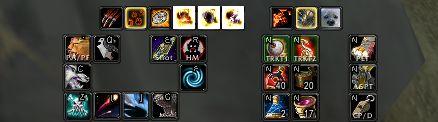
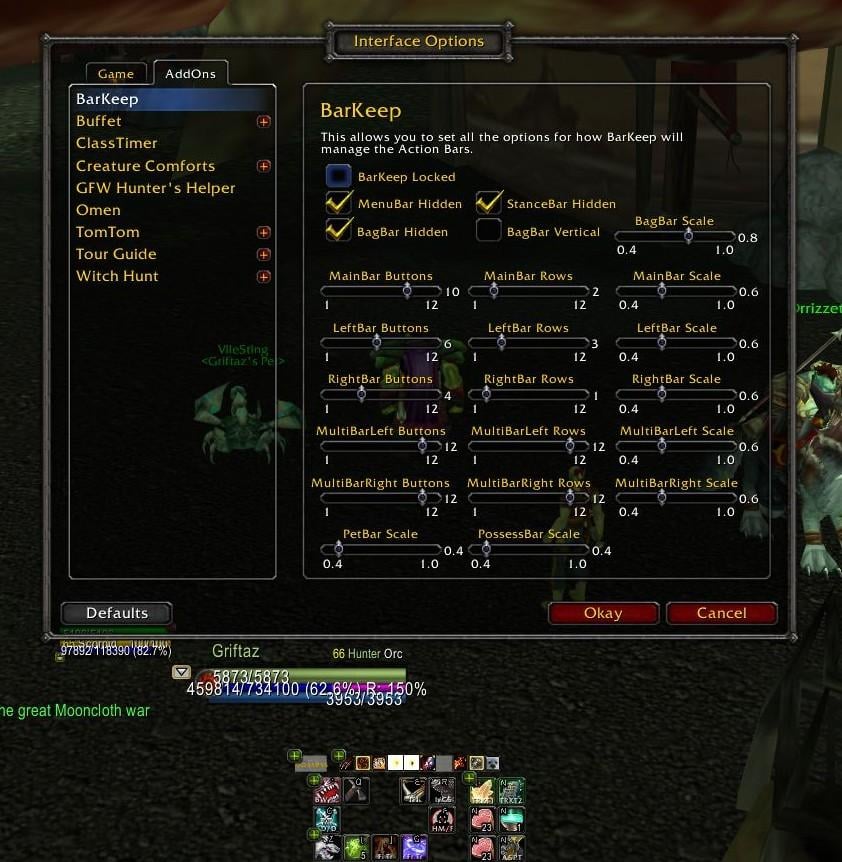
  • All the main action buttons can be configured to have from 1-12 buttons.
  • All the main action bars can be reconfigured to have up to 12 rows, so you can have 6 buttons x 2 rows, 3 buttons by 4 rows etc. This is done still using the Blizzard button code for compatibility.
  • All the main action bars can be scaled independently of one another.
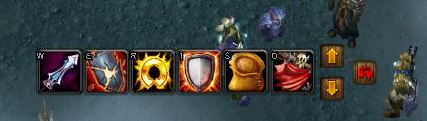
  • Stance bar, possess bar, and pet bar can all be relocated to where the user wants them to be.
  • All bars can be hidden if you want, some using the Blizzard options from the interface menu, others using BarKeep.
  • The options are configured by a GUI accessed from /barkeep or /bk.
  • It uses an event / hook based structure for minimal CPU usage.
I want to say thanks to the previous developers of this CleanBar & CleanBarAdvanced since BarKeep would not be possible without their initial help.

So why use BarKeep?

It enables complete rearrangement and scaling of the Blizzard bars and so has some advantages over the traditional bar mod:
  1. It uses Blizzards buttons (and button code). So pretty much it's always compatible if Blizzard make any changes.
  2. Its really light in use - doesn't use a lot of memory and CPU cycles.
  3. It seems pretty stable as a result of the above.
  4. It'll work with cooldown, ranged mods that work with Blizzard buttons and also ButtonFacade with another small mod.
Commands:

/barkeep - show the config screen.
/bk - show the config screen.

FAQ:
  • I can't see all the bars when I first use the addon. All I see are the '+'s that enable the bar placement? - Use the Blizzard 'Action Bars' tab in the interface menu to set which bars are active or not, just as you would the Blizzard bars.
  • How do I set the Key Bindings? - Use the Blizzard Key Bindings interface to set the bindings for all the bars.
  • How do I lock the actions on the bars? - Use the Blizzard 'Action Bars' tab in the interface menu to lock the Blizzard bars.
  • How do I permanently show the empty buttons? - Use the Blizzard 'Action Bars' tab in the interface menu to show the empty button grid.
Future Plans:
  • Bug fixes once identified.
  • A BarKeep_XP optional module to manage the XP bar.
  • A reconfiguration of the mod to easily allow for additional layout types for the bars. This should be fairly easy to do, it'll just require a some coding in BarKeep.lua and a change to the configuration screen, but could take some time as I'll make the changes slowly and test carefully.

Known Issues:
  • None.
Version History
BarKeep 50300.01
-----------------
- Further improved Battle Pet frame code.
- Updated .TOC file for 5.3

BarKeep 50200.04
-----------------
- Added code to ensure that the ActionBars do not appear over the Battle Pet frame.

BarKeep 50200.03
-----------------
- Corrected an error related to PvP MicroMenu button.
- Increase the FrameStrata of the various buttons to reduce the liklihood they'll be covered by other UI elements preventing mouse clicks.

BarKeep 50200.02
-----------------
- Corrected an error related to removed VehicleBar code.

BarKeep 50200.01
-----------------
- Updated .TOC file to 5.2.

BarKeep 50100.03
-----------------
- Fix to /BK UI - some controls didn't appear.
- Attempt to fix the talent change-over issue.
- Miscellaneous tidy-ups around eventing - moved to hooksecurefuncs to ensure no possibilities of conflicts.
- Removed some old code that was commented out.

50000.01 - 50100.01
--------------------
- Conversion to WoW 5.0 & 5.1

BarKeep 40300.02
-----------------
- Change to ensure the LFR and the new raid tab works.

BarKeep 40300.01
-----------------
- Change to the Encounter Journal to ensure it works.
- Initial attempt to fix the BonusActionBar for in-combat stance switching.

BarKeep 40200.01
-----------------
- Initial *must* fixes for patch 4.2.

BarKeep 40000.06
-----------------
- Fix for ActionButton1 stance bar issue.

BarKeep 40000.05
-----------------
- Likely fix for the 'hidden Totembutton reappearing' issue.
- Improved ActionButton1 frame set-up.

BarKeep 40000.04Beta
---------------------
- An attempt to fix the Glyph taint issue some people are reporting (I'll need feedback whether it solves the issue).

BarKeep 40000.03
-----------------
- Fixes the Guildbutton on the MicroMenuBar.
- Adds the ability to scale the Shape Bar separately from the MainBar.
- Adds the ability to hide and scale the Totem Bar.
- Reorganizes the settings pane to fit in all the new settings.

BarKeep 40000.02
-----------------
- Fixes the BonusActionBar issues and the scaling of a couple of the bars.

BarKeep 40000.01
-----------------
- WoW patch 4.01 version.

BarKeep version 30300.10
------------------------
- Fix to stance bar bugs. Scaling & movement now works and stance bar updates.
- Some code adjustments in preparation for WoW 4.0 patch.

BarKeep version 30300.9
-----------------------
- Added back selective transparency to hide MainBar buttons where the BonusActionBar has no action.
- Added a (likely) fix for the 'I just got my first key and now the keyring is displayed' bug.

BarKeep version 30300.8
-----------------------
- Removes all the redundancy and transparency code that previously ran when stance switching - stealthing still works fine on my Rogue. Let me know if this improves the Warrior stance change timing.

BarKeep version 30300.7
-----------------------
- Slightly improves vehicle exiting under combat - HToC for example - by noting the exiting the vehicle, and if the exit fails then rearranging the buttons on leaving combat. Corrects an issue with the MicroMenuBar.

BarKeep version 30300.6
-----------------------
- Adds the character portrait to the character micromenu button.

BarKeep version 30300.5
-----------------------
- Corrects a SpellbookMicroButton bug introduced by 30300.4 when switching talent specs.

BarKeep version 30300.4
-----------------------
- More elegant and better fix to correct for the Blizzard AcheivementMicroButtonUpdate bug.
- Reverted to using the Blizzard SpellBookMicroButton to enable casting from the Spellbook while in combat.


BarKeep version 30300.3
-----------------------
- Temporary fix to correct for the Blizzard AcheivementMicroButtonUpdate bug.

BarKeep version 30300.2
-----------------------
- A small change to improve the working with other add-ons that may tweak the MicroMenuBar.

BarKeep version 30300.1
-----------------------
- Updated .TOC for 30300.
- Corrected all the MicroMenuBar code to work with the new dungeon interface.
Optional Files (2)
File Name
Version
Size
Author
Date
Type
50300.01
5kB
05-22-13 04:05 PM
Addon
30100.2
4kB
04-23-09 03:37 PM
Addon


Archived Files (1)
File Name
Version
Size
Author
Date
50200.04
16kB
Platykurtic
05-06-13 02:57 PM


Post A Reply Comment Options
Old 09-11-12, 12:24 PM  
Nallepuh
A Deviate Faerie Dragon

Forum posts: 19
File comments: 64
Uploads: 0
uppdate mop

pls uppdate! cant find any other actionbar addon that i like!
Nallepuh is offline Report comment to moderator  
Reply With Quote
Old 07-23-12, 09:07 PM  
Chrome67
A Murloc Raider
 
Chrome67's Avatar
AddOn Author - Click to view AddOns

Forum posts: 8
File comments: 51
Uploads: 7
settings between sessions...

love the bar mod look and feel (and size...100k running) and have been looking for something to replace BT4 since it's just too bloated nowadays, but while it looked great at first glance I noticed the following bugs:

1. the scale settings don't seem to apply upon load correctly, although the sliders are set appropriately and those do hold. Just selecting the slider causes them to jump to the proper scale. Most likely in the initialization phase they're not looked up (PLAYER_LOGIN or PLAYER_ENTERING_WORLD triggers probably).

2. the micromenu remains "movable" with the "x" marker showing even when "locked" is checked in the options panel. Reloadui doesn't seem to clear it either and continues to stay that way...

Anyway, I know you haven't updated this one in a while so if you're not planning to continue with it into MoP let us know.

thanks for the great work!
Chrome67 is offline Report comment to moderator  
Reply With Quote
Old 04-09-12, 12:56 AM  
Dexter74
A Kobold Labourer

Forum posts: 0
File comments: 128
Uploads: 0
Where are the settings stored? Did not want to set it for all 10 characters.

Times the code could also be adjusted constantly get error messages relating to the key ring.
Dexter74 is offline Report comment to moderator  
Reply With Quote
Old 02-18-12, 06:35 AM  
Nallepuh
A Deviate Faerie Dragon

Forum posts: 19
File comments: 64
Uploads: 0
Exp Bar!

Hi, love the addon but i would love to see a exp bar so i can see my xp when im lvling my alt(s)!
Nallepuh is offline Report comment to moderator  
Reply With Quote
Old 01-14-12, 05:44 PM  
Jansus
A Fallenroot Satyr

Forum posts: 21
File comments: 59
Uploads: 0
I love this bar mod, I am having some issues when using stealth though. It shows buttons from my out of stealth bar on my stealth bar sometimes.

There also seems to be issues when entering a vehicle, it works, but it's messed up looking. Is there a way to just use the blizz default vehicle bar?
Last edited by Jansus : 01-14-12 at 05:47 PM.
Jansus is offline Report comment to moderator  
Reply With Quote
Old 12-20-11, 04:36 AM  
Nallepuh
A Deviate Faerie Dragon

Forum posts: 19
File comments: 64
Uploads: 0
Masque

Hi, just switch do this from BT4 really love it but does it support masque?
Nallepuh is offline Report comment to moderator  
Reply With Quote
Old 12-08-11, 08:50 AM  
Platykurtic
A Murloc Raider
AddOn Author - Click to view AddOns

Forum posts: 4
File comments: 156
Uploads: 5
Initial fixes for 4.3 patch applied. Main issue is around the Encounter Journal not opening, but I've made an initial attempt to correct for Stance Switching in combat. This may not have corrected the issue (it's quite tough for me to check with my characters) and I'll keep working on this issue and the bar scaling one also - expect further updates if SW:TOR doesn't get in the way.
Platykurtic is offline Report comment to moderator  
Reply With Quote
Old 06-29-11, 03:41 PM  
Platykurtic
A Murloc Raider
AddOn Author - Click to view AddOns

Forum posts: 4
File comments: 156
Uploads: 5
The intial *must* fixes for the patch 4.2 are now posted. The new version should be usable for the new patch.

I'll now get to work on all the small issues that have cropped up in the 4.1 & 4.2 patches. These could take a little time as I might need to rework elements of the add-on somewhat.
Platykurtic is offline Report comment to moderator  
Reply With Quote
Old 06-29-11, 12:27 PM  
Thoridin
A Kobold Labourer

Forum posts: 0
File comments: 1
Uploads: 0
Thank you for working on this addon i really like it. I have also noticed that when i login in to a character the bar sizes are all revered to the full size and i have to just touch the scale size to get it to revert back so if you could look at that to that would be awesome. Thanks for your awesome bar mod.
Thoridin is offline Report comment to moderator  
Reply With Quote
Old 06-29-11, 04:06 AM  
Platykurtic
A Murloc Raider
AddOn Author - Click to view AddOns

Forum posts: 4
File comments: 156
Uploads: 5
There are a few minor issues with BarKeep at the moment, mainly because I've not had much time or inclination to update the add-on. Currently patch 4.2 seems to have broken the bag bar and the the micro menu bar, so I'll correct those ASAP and then work on the other issues.
Platykurtic is offline Report comment to moderator  
Reply With Quote
Old 06-02-11, 05:39 PM  
Enki17
A Kobold Labourer

Forum posts: 0
File comments: 1
Uploads: 0
I've had an issue with the left and right multibars sharing the size scaling. I can't reduce one without it affecting the other.
Last edited by Enki17 : 06-02-11 at 05:45 PM.
Enki17 is offline Report comment to moderator  
Reply With Quote
Old 03-31-11, 01:33 AM  
Alluistras
A Kobold Labourer

Forum posts: 0
File comments: 4
Uploads: 0
Re: Re: Re: Form/Stance error

Originally posted by Alluistras
Yep. I checked and I do have the latest version.
Happened again tonight on Cho'gall. (It was a wipe anyway thankfully.) Swapped out to Tranq, went into cat form, and couldn't use my other bars, or the first button on the main bar. : \
Alluistras is offline Report comment to moderator  
Reply With Quote
Old 03-19-11, 10:30 PM  
Alluistras
A Kobold Labourer

Forum posts: 0
File comments: 4
Uploads: 0
Re: Re: Re: Form/Stance error

Originally posted by Alluistras
Yep. I checked and I do have the latest version.
Scratch that. I'm a noob. I got the newest version today, and will report back. Thank you!
Alluistras is offline Report comment to moderator  
Reply With Quote
Old 03-19-11, 09:44 PM  
Alluistras
A Kobold Labourer

Forum posts: 0
File comments: 4
Uploads: 0
Re: Re: Form/Stance error

Originally posted by Platykurtic
Is this happening with the latest release? At a guess the issue appears to be Blizzard's secure code reworking the bars mid-combat. I'll have a look into the Blizzard code over the next few days and see if I can disable or work around this issue.
Yep. I checked and I do have the latest version.
Alluistras is offline Report comment to moderator  
Reply With Quote
Old 03-10-11, 05:55 AM  
Platykurtic
A Murloc Raider
AddOn Author - Click to view AddOns

Forum posts: 4
File comments: 156
Uploads: 5
Re: Form/Stance error

Originally posted by Alluistras
When I do, pretty often the first button on the main bar will warp and extend down. So that's the graphical error part, but what is worse is that it makes all of the other bars non-interactive, can't click on them at all to use them. This is very disconcerting on a boss fight where I'm tanking and need to use my CDs to survive which are located on another bar.

Any thoughts?
Is this happening with the latest release? At a guess the issue appears to be Blizzard's secure code reworking the bars mid-combat. I'll have a look into the Blizzard code over the next few days and see if I can disable or work around this issue.
Platykurtic is offline Report comment to moderator  
Reply With Quote
Post A Reply


Category Jump:


