Download
(13 MB)
Download
Updated: 05-12-13 07:17 AM
Pictures
File Info
Compatibility:
Thunder Isle (5.2)
Updated:05-12-13 07:17 AM
Created:09-21-11 04:19 AM
Downloads:4,967
Favorites:19
MD5:
Categories:Generic Compilations, Suites, Graphical Compilations, Minimalistic Compilations, Class Compilations, DPS Compilations
LeilaUI v3 - 16:10
Version: v3.41
by: Tonyleila [More]
Monthly updated!


Main Features
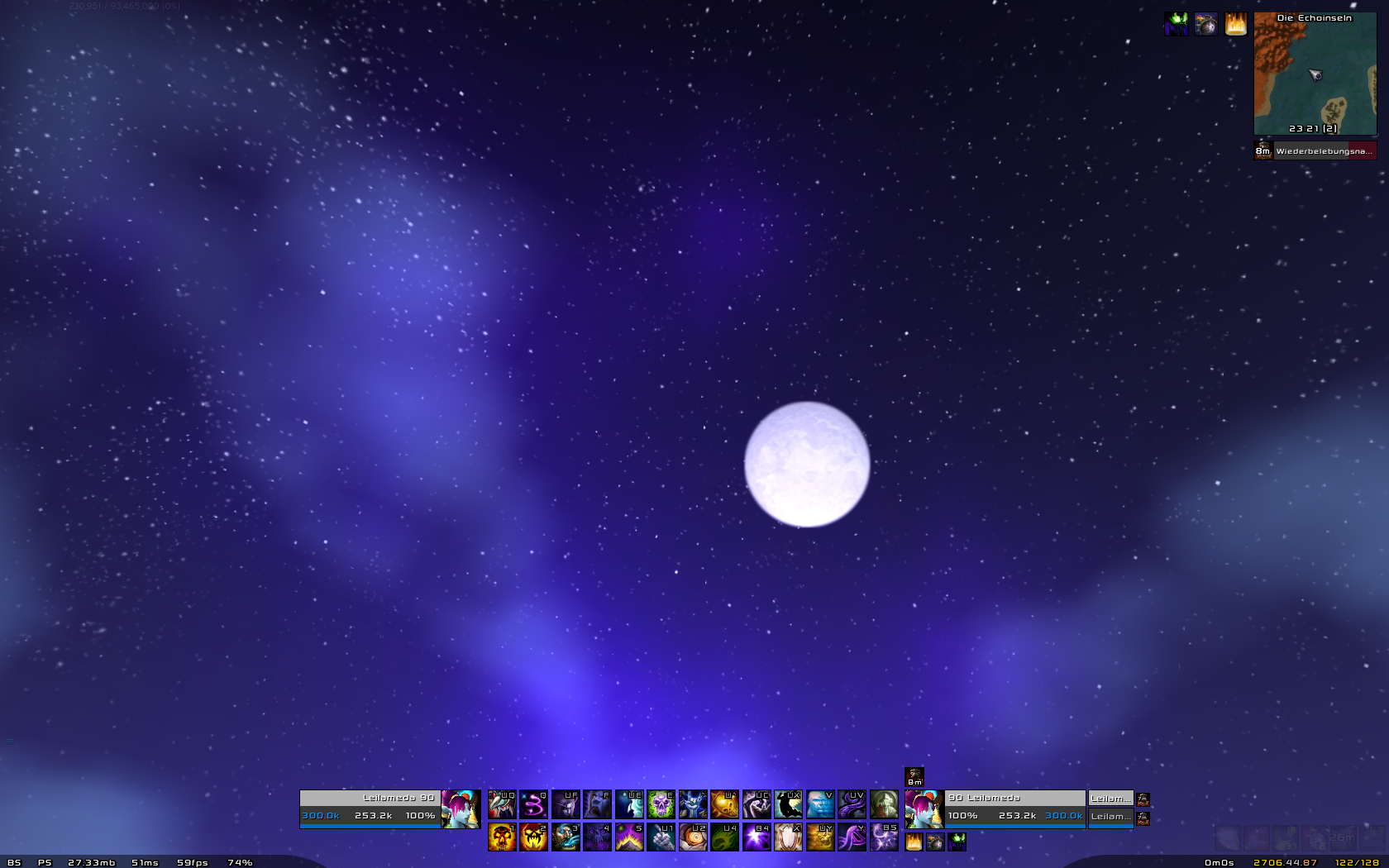
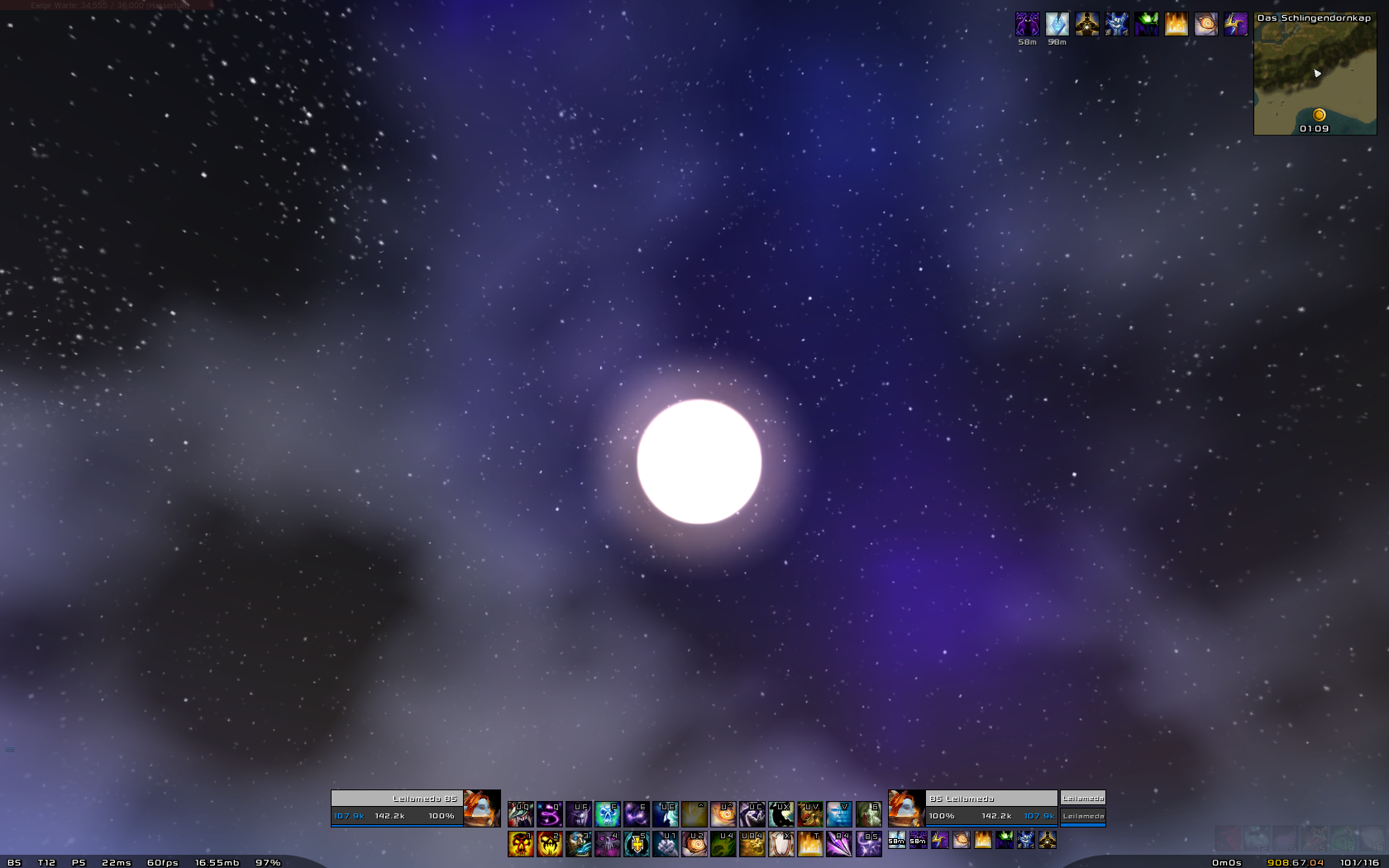
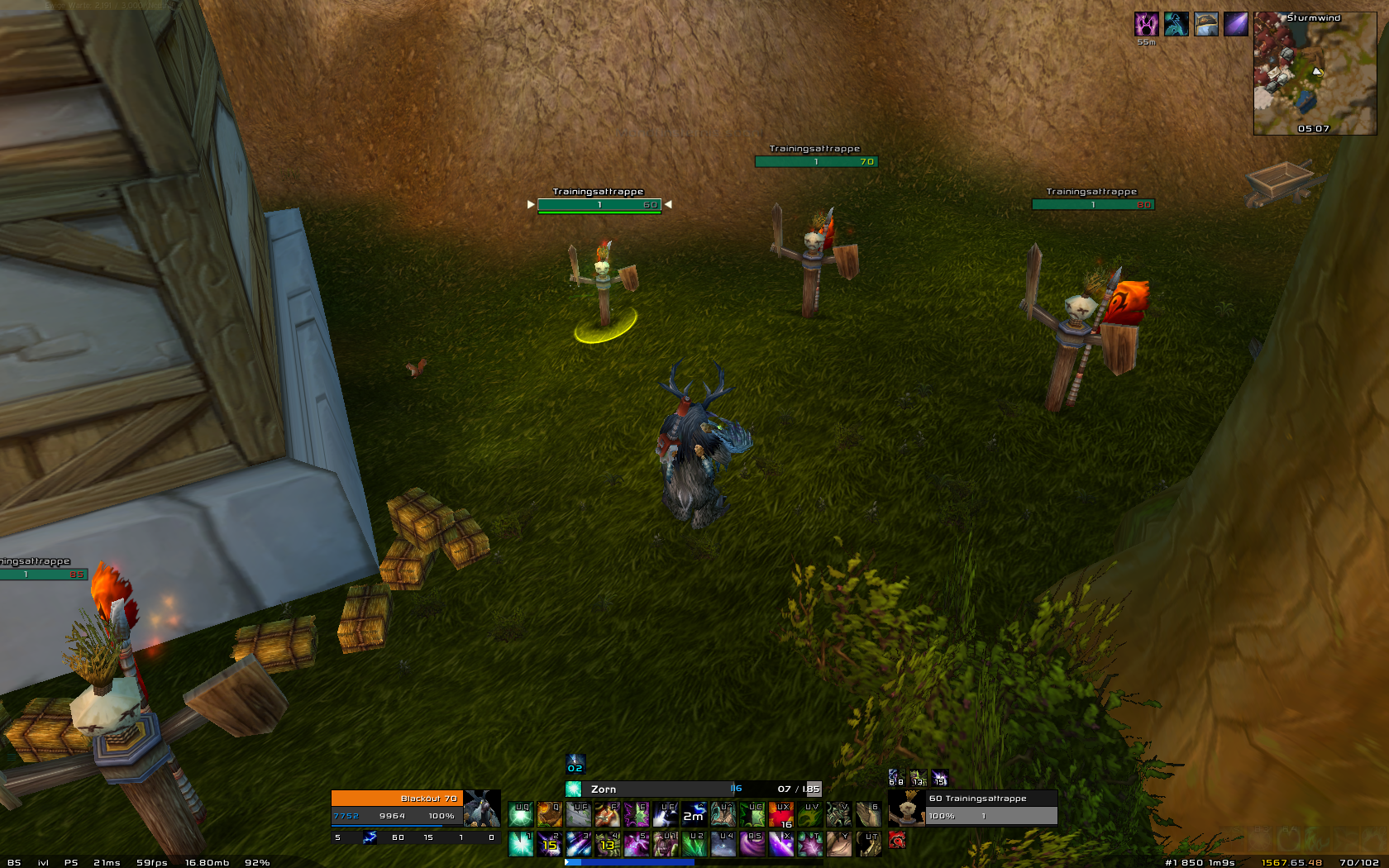
This is a Raiding and Arena interface with a goød mix of many usefull and small addons.
All addons are easy to customize to your own affectations because they have an own GUI.
However LeilaUI has a very low memory usage! It includes an unique Buff and Debuff setup
with Raiddebuffs/Buffs, Target CCs, class/race specific buffs and trinket procs.
The UI was designed for a 1680x1050 resolution and also works with other 16:10 Widescreens
(1280×800, 1440×900, 1920×1200, 2560×1600).
If you play on a 16:9 ratio or 4:3 screen use LeilaUI v3 16:9 or LeilaUI v3 4:3
Before asking any questions to the UI pls read the FAQ here on my Poral first.

LeilaUI works for all specs and is adjusted for all classes:
Priest, Paladin, Rogue, Hunter, Druid, Warrior, Deathknight, Warlock, Shaman, Mage!

Don't update addons manually
...this would crash the lua and Textur changes i made to many addons.
You can find a list of edited addons by klicking here.

Installation Guide

★ Video installation guide ★

Step 1: Unzip and Install
-> Download and unzip LeilaUI
-> Go to C:\...\World of Warcraft and replace your Interface folder with the one extracted from LeilaUI
-> Go to C:\...\World of Warcraft and copy or replace the Fonts folder.
-> Go to C:\...\World of Warcraft\WTF\Account\"YOURACCOUNTNAME"\
and remove your SavedVariables folder and your relam name folder(s). Now put in SavedVariables from LeilaUI.

Step 2: Start WoW and make sure all addons are activated
You may load all out date addons if LeilaUI is not up to date anymore!

Step 3: Join the World and set your resolution to 16890x1050
The Account UI Scale is automatically set to [0.73142]
so if your resolution isn't 1920x1080 delete the Addon nibuiscale from your addons folder

Step 4: Ingame options part 1
-> After login Gnosis option screen pops up... klick 'Load Castbar' and close this window
-> Now Press Yes' on the LeilaUI Dialog Popup!

Step 5: Ingame options part 2
-> /stam........... to change the Addon Profil! Druids, Deathknights and Schaman shoud not use the "Most Classes" Profil
-> /msbt .......... to switch combattext profil (you should disable the standart Blizz. combattext)
-> /btb hide or /btb show..... hide/show the threat bar again to move it hold down shift
-> read about the secret (eg. hidden bars and comands) of the Interface here.

Link to AddOn infos
Changelog LeilaUI - 16:9

What addons are different to LeilaUI 16:9?
- ShadowUnitFrames
- nibProfilLoader


What SavedVariables are different?
- SUF
- Dominos
- Raven
- vexpower
- Basic Threatbar
- VexRunes
- Chinchilla
- kgPannels
- nibUIScale
- Gladius
- BigWigs
- Bazooka
- BalancePowerTracker
- XLoot
- RangeDisplay
- Hermes
- Gnosis
- ...
Archived Files (8)
File Name
Version
Size
Author
Date
v3.41
13MB
Tonyleila
05-11-13 05:07 PM
v3.39
13MB
Tonyleila
03-23-13 04:10 PM
v3.36
13MB
Tonyleila
12-13-12 06:05 AM
v3.34
12MB
Tonyleila
11-09-12 10:15 PM
v3.33
13MB
Tonyleila
10-14-12 07:39 PM
v3.32
13MB
Tonyleila
09-28-12 05:54 PM
v3.31
13MB
Tonyleila
09-11-12 04:12 PM
v3.28
12MB
Tonyleila
07-07-12 06:51 PM


Post A Reply Comment Options
Old 09-26-12, 11:17 PM  
Tonyleila
A Flamescale Wyrmkin
 
Tonyleila's Avatar
AddOn Author - Click to view AddOns

Forum posts: 146
File comments: 928
Uploads: 26
but in the evening hope some addon authors will update today... there are still some bugs
__________________
Author of: LeilaUI and Aurora: Missing Textures
__________________
Tonyleila is online now Report comment to moderator  
Reply With Quote
Old 09-26-12, 10:41 PM  
Sjiulk
A Kobold Labourer

Forum posts: 0
File comments: 36
Uploads: 0
Originally Posted by Tonyleila
Originally Posted by Sjiulk
Will you be updating for MoP?
I will hope i can do that tomorrow

use this command ingame to load profils for monk untill I update
/reflux switch LeilaUI
Yesss you rock! Love this UI.
Sjiulk is offline Report comment to moderator  
Reply With Quote
Old 09-26-12, 07:27 AM  
Tonyleila
A Flamescale Wyrmkin
 
Tonyleila's Avatar
AddOn Author - Click to view AddOns

Forum posts: 146
File comments: 928
Uploads: 26
Originally Posted by Sjiulk
Will you be updating for MoP?
I will hope i can do that tomorrow

use this command ingame to load profils for monk untill I update
/reflux switch LeilaUI
__________________
Author of: LeilaUI and Aurora: Missing Textures
__________________
Tonyleila is online now Report comment to moderator  
Reply With Quote
Old 09-25-12, 05:37 PM  
Sjiulk
A Kobold Labourer

Forum posts: 0
File comments: 36
Uploads: 0
Will you be updating for MoP?
Sjiulk is offline Report comment to moderator  
Reply With Quote
Old 09-11-12, 04:16 PM  
Tonyleila
A Flamescale Wyrmkin
 
Tonyleila's Avatar
AddOn Author - Click to view AddOns

Forum posts: 146
File comments: 928
Uploads: 26
LeilaUI 16:10 v3.31

Sorry again for that late update!
Hope you enjoy!
__________________
Author of: LeilaUI and Aurora: Missing Textures
__________________
Tonyleila is online now Report comment to moderator  
Reply With Quote
Old 09-08-12, 05:33 PM  
Tonyleila
A Flamescale Wyrmkin
 
Tonyleila's Avatar
AddOn Author - Click to view AddOns

Forum posts: 146
File comments: 928
Uploads: 26
Re: Re: Update 5.0.4

Originally Posted by Tonyleila
Originally Posted by badgery
Hi there - can you update this for MoP please?
Many thanks
Badgery
Problem is my macbook is not working at the moment. I'll reinstall it today and than it will take some time to download wow again. Hope to update this weekend all other res are udated now.
Good news! my macbook is working again and I have reinstalled wow I'll update tomorrow
__________________
Author of: LeilaUI and Aurora: Missing Textures
__________________
Tonyleila is online now Report comment to moderator  
Reply With Quote
Old 09-07-12, 12:37 PM  
Tonyleila
A Flamescale Wyrmkin
 
Tonyleila's Avatar
AddOn Author - Click to view AddOns

Forum posts: 146
File comments: 928
Uploads: 26
Re: Update 5.0.4

Originally Posted by badgery
Hi there - can you update this for MoP please?
Many thanks
Badgery
Problem is my macbook is not working at the moment. I'll reinstall it today and than it will take some time to download wow again. Hope to update this weekend all other res are udated now.
__________________
Author of: LeilaUI and Aurora: Missing Textures
__________________
Tonyleila is online now Report comment to moderator  
Reply With Quote
Old 08-30-12, 12:35 PM  
badgery
A Kobold Labourer

Forum posts: 0
File comments: 19
Uploads: 0
Update 5.0.4

Hi there - can you update this for MoP please?

Many thanks
Badgery
badgery is offline Report comment to moderator  
Reply With Quote
Old 08-30-12, 07:22 AM  
jmcgrath
A Kobold Labourer
 
jmcgrath's Avatar

Forum posts: 0
File comments: 188
Uploads: 0
Eagerly awaiting an update. This UI looks well made. Thanks.
__________________
jmcgrath is offline Report comment to moderator  
Reply With Quote
Old 08-30-12, 01:25 AM  
benmarriot
A Kobold Labourer
AddOn Compiler - Click to view compilations

Forum posts: 0
File comments: 7
Uploads: 3
Ok, thanks for time and commitment for having a not as standard ui resolution. And thanks for the update.
benmarriot is offline Report comment to moderator  
Reply With Quote
Old 08-29-12, 01:36 PM  
Tonyleila
A Flamescale Wyrmkin
 
Tonyleila's Avatar
AddOn Author - Click to view AddOns

Forum posts: 146
File comments: 928
Uploads: 26
Originally Posted by Tonyleila
Originally Posted by benmarriot
Does this UI have the same expected update date as the 16:9? Thanks
Yes but maybe some hours later...
Sorry i won't update it today, there are many things not working well with the 16:9 version...

if you want to use the 16:10 version:
use the "SavedVariables" of 16:10
use "Interface" folder of 16:9 version

i hope i can bring up a good working version until Friday
__________________
Author of: LeilaUI and Aurora: Missing Textures
__________________
Tonyleila is online now Report comment to moderator  
Reply With Quote
Old 08-28-12, 08:14 PM  
Tonyleila
A Flamescale Wyrmkin
 
Tonyleila's Avatar
AddOn Author - Click to view AddOns

Forum posts: 146
File comments: 928
Uploads: 26
Originally Posted by benmarriot
Does this UI have the same expected update date as the 16:9? Thanks
Yes but maybe some hours later...
__________________
Author of: LeilaUI and Aurora: Missing Textures
__________________
Tonyleila is online now Report comment to moderator  
Reply With Quote
Old 08-28-12, 08:10 PM  
benmarriot
A Kobold Labourer
AddOn Compiler - Click to view compilations

Forum posts: 0
File comments: 7
Uploads: 3
Does this UI have the same expected update date as the 16:9? Thanks
benmarriot is offline Report comment to moderator  
Reply With Quote
Old 06-07-12, 05:31 AM  
Tonyleila
A Flamescale Wyrmkin
 
Tonyleila's Avatar
AddOn Author - Click to view AddOns

Forum posts: 146
File comments: 928
Uploads: 26
Originally Posted by peterw39
thats my problem http://www.pic-upload.de/view-14459640/Problem.jpg.html and more like that ;S
You if the tooltip is to big for you shoud make it smaller by using the blizzards interface for that:
Press ESC go to INTERFACE and klick HELP now remove the heel from advanced and beginer tooltips

The tooltip you marked is the standard blizzard tooltip whitch is skinned by the addon Aurora.
Or it may be the addon FreebTip.

Your resolution is 1280x738 thats noch 16:10 or 16:9 i don't know what it is Thats why everything is overlaping here.
__________________
Author of: LeilaUI and Aurora: Missing Textures
__________________
Tonyleila is online now Report comment to moderator  
Reply With Quote
Old 06-01-12, 09:46 AM  
peterw39
A Kobold Labourer

Forum posts: 0
File comments: 2
Uploads: 0
thats my problem http://www.pic-upload.de/view-14459640/Problem.jpg.html and more like that ;S
peterw39 is offline Report comment to moderator  
Reply With Quote
Post A Reply


Category Jump: