Title, Username, & Date Last Post Replies
Go to first new post LF Addon Sound Notifer for Cooldowns
Forum: Interface RequestsSans
Today 10:54 AM
by Sans
1
Go to first new post Remix Ui
Forum: Interface Requeststkoreaper
Today 10:53 AM
by sweede
25
Go to first new post Screen Shots of your UI...
Forum: Class DiscussionsEiniki
Today 10:37 AM
by nightcracker
1,897
Go to first new post Map change - wont happen ><
Forum: Interface Helpgoldengamer
Today 10:14 AM
by contramundi
3
Go to first new post Count to 1,000!
Forum: Chit-Chatus2006027321
Today 09:35 AM
by Zyonin
788
Go to first new post Satrina Buff Frames Alternative
Forum: Interface RequestsJerX
Today 09:23 AM
by Dawn
4
News
Authors:

Don't forget, you can now have multiple authors for a project on the site. AddOn/Project leaders can access a Team Manager popup from the Edit/Update AddOn screen either on the front page of the site (Community tab) or from the AddOn/Project page itself. Check out our Team Manager FAQ for full details. Why not take this opportunity to add your team members to your project while you're already on the site updating your AddOn to 3.3?

Everyone:

Please note, we have our usual AddOn Survival Guide in place and will be continuing to keep it updated for the next couple of weeks as authors update their mods.


As well, don't forget to check out the information about our Winter Veil Gift Hunt that will be starting next week. Full details are here.


On to the patch notes:

Icecrown Citadel: The Frozen Halls


Looming over the stark wastes of Northrend, Icecrown Citadel awaits those who would see the Lich King and his Scourge brought low and the threat they pose wiped from the face of Azeroth. The heroes who venture within will face some of the greatest horrors yet seen. But before you burst into the front gate of the citadel, an alternate means of entry beckons. Journey through three separate wings of the new five-player dungeon, Icecrown Citadel: The Frozen Halls, and follow Jaina Proudmoore or Sylvanas Windrunner into the Lich King's domain.

Icecrown Citadel: The Frozen Throne

All across Northrend, many battles have been fought against the vile Scourge. Countless lives have been lost since the Alliance and the Horde first reached these frozen wastes, but the champions of Azeroth continue to march forward -- and Icecrown Citadel, the cornerstone of the Scourge's power and the home base of the Lich King, is their final target. Tirion Fordring and the Argent Crusade have forged an accord with Darion Mograine and the Knights of the Ebon Blade to form the Ashen Verdict. This coalition's strongest combatants, along with the champions of the Alliance and the Horde, will lead the charge against the citadel. In the new Icecrown Citadel raid dungeon, Azeroth's mightiest will face terrifying challenges before ascending to the Frozen Throne, where the Lich King and his runeblade, Frostmourne, await to deliver the heroes to their deaths....

Of particular note for our community:

Getting Started and Quest Tracking

A number of changes have been made to World of Warcraft's introductory experience, including updated character and class information at the character-selection screen, more robust tooltips with images, improved health and mana regeneration at lower levels, and adjustments to various classes designed to make it easier for players to get started. In addition, all-new quest-tracking features have been added to assist players in finding objectives, including new interface functionality in the quest log, the map ("M" key), and the Objectives pane.

User Interface
  • Many of the default Interface Options settings have been changed for greater ease of use by new players. Existing players who create new characters may want to review the Interface Options in the event that the default settings feel different.
  • Quest Tracking Feature
    • Players can now track quest objectives on the map (‘M’ key).
    • Quest Log
      • A Show Map button has been added to the Quest Log. Selecting a quest and pressing this button will open the map for the zone in which the quest objective is located displaying the associated area of interest. Any other active quests in a player’s Quest Log for that zone will also be displayed.
    • Map
      • The map interface has been separated into four separate panes: a map pane (left), a pane listing active quest names for the zone being viewed (right), a pane listing the full quest text for any highlighted quest (bottom left), and a pane listing the quest rewards for any highlighted quest (bottom right).
      • All active quests listed in the right pane for the zone being viewed on the map will be assigned a number. These numbers will be displayed on the map according to the areas of interest for each quest.
      • Highlighting a quest name in the right pane will highlight the corresponding area of interest on the map in the left pane, show its quest text in the lower left pane, and list the quest rewards in the lower right pane.
      • Given that some quest objectives can be achieved in multiple locations within a given zone, highlighting such a quest will highlight an area of interest closest in proximity to the character’s current location.
      • This feature can be disabled by un-checking the Show Quest Objectives box in the bottom right corner of the new map interface, restoring the map to its standard full-screen display.
      • Clicking on the arrow in the top right corner of the new map interface will hide all but the map pane, bringing the map out of full-screen mode and allowing players to leave it open while navigating a zone or engaging in combat.
    • Objectives Tracking
      • This frame has been improved to offer new functionality and can be used with the new shrunken map option.
      • The Objectives frame is now docked below the mini-map next to the right 2 action bars and will track up to 10 quests for a zone.
      • Numbers have been added next to each quest name and objective corresponding with those areas of interest displayed on the map.
      • If a quest objective has been completed, the number will be replaced with a yellow question mark symbol.
      • The arrow button in the top right corner of the Objectives frame can be used to toggle between minimizing and maximizing the quest objective display.
    • Quest Difficulty Tracking
      • This feature is off by default and can be enabled in the Objectives window from the Interface Options menu. Turning this feature on will color-code all quest names displayed in the map interface according to difficulty (grey, green, yellow, orange, and red).
  • Dungeon Finder
    • This feature has replaced the Looking For Group tool and provides all-new dungeon party creation functionality.
      • Players can join as individuals, as a full group, or a partial group to look for additional party members.
      • Groups using this tool will be able to teleport directly to the selected instance. Upon leaving the instance, players will be returned to their original location. If any party member needs to temporarily leave the instance for reagents or repairs, they will have the option to teleport back to the instance.
      • Players can choose the Random Dungeon option.
        • The Heroic Wrath of the Lich King Daily Random Dungeon option will award two Emblems of Frost no more than once a day.
        • The normal Wrath of the Lich King Daily Random Dungeon option will award two Emblems of Triumph no more than once a day.
        • Continuing to complete Wrath of the Lich King Heroic instances using the Daily Random Dungeon option will award players two additional Emblems of Triumph each time.
        • Daily Heroic and normal dungeon quests have been removed. These quests have been replaced with weekly raid quests (see the “Quests” section for details).
        • Level-appropriate rewards will be offered to players who choose the Random Dungeon option for pre-Wrath of the Lich King dungeons.
        • Players can be placed in a group for a random dungeon no more than once every 15 minutes.
        • Random Dungeon rewards will be placed in each player’s inventory automatically upon completion of the dungeon (final boss killed). A pop-up notification will display any rewards earned through the Dungeon Finder.
      • Instead of choosing a random dungeon, players can also choose specific dungeons appropriate for their level range. Multiple instances can be selected at one time. The feature no longer limits the choice to look for only 3 dungeon groups at one time.
      • Pick-Up Groups
        • Cross-realm instances are now available and use an improved matchmaking system to assist players in looking for additional party members. As with Battlegrounds, the realms in each Battlegroup are connected.
        • As part of the matchmaking system, some of the more difficult dungeons will have a minimum gear requirement. Players also need to meet the requirements for dungeons that require attunement, such as keys or quests. If a player does not meet the requirements for a particular dungeon, a lock icon will be displayed next to that dungeon. Hovering over this icon will display the requirements which have not been met.
        • Only conjured items and loot dropped in a dungeon for which other party members are eligible can be traded between players from different realms.
        • A Vote Kick feature will be available in the event a member of a party is not performing to the expectations of the other members.
        • Players who leave the group prematurely are subject to a Deserter debuff preventing them from using the Dungeon Finder for 15 minutes.
        • If an existing group loses a member, the leader will be asked if he or she wants to continue the dungeon. Choosing to continue will automatically place the group back into the Dungeon Finder queue.
        • A Player will not be placed in a group with people on his or her Ignore list.
        • Players who take part in groups who have one or more members who have been matched with them randomly from within the Dungeon Finder will receive extra rewards, up to and including the coveted Perky Pug non-combat pet. The more random players with whom one groups, the faster the pet can be obtained.
        • The Need Before Greed loot system will be the unalterable default looting system for pick-up groups in the Dungeon Finder and has been updated.
        • Need Before Greed will now recognize gear appropriate for a class in three ways: the class must be able to equip the item, pure melee will be unable to roll on spell power items, and classes are limited to their dominant armor type (ex. paladins for plate). All items will still be available via Greed rolls as well as the new Disenchant option should no member be able to use the item.
        • Players will be able to roll on items with a required minimum level higher than a player’s current level.
  • Looking For Raid
    • There is a new Looking For Raid option available to players that can be accessed via the Raid Information screen in the interface or by typing “/LFR.”
      • Players will be able to browse the system manually for any other players looking for a raid dungeon group.
      • While browsing LFR players may sort the list ascending or descending by left-clicking the following headers: Name, Level, Class, Tank Role, Healer Role, and Damage Role. The crown is the Leader Role (representing a raid group with 2 or more people). Players can left-click on this header to sort the list with groups at the top or at the bottom.
      • Hovering over players listed in LFR will display their name, class, level, roles and comments. Hovering over a raid/group will display the leader’s name, the raid information (number of people in the raid), comments, if there are any bosses dead (and which ones), and if there are any friends from your Friends list or ignored players from your Ignore list in the raid group.
  • The Looking For Group chat channel has returned and can be accessed in all major cities (similar to the Trade chat channel) without the use of the Dungeon Finder interface.
  • Players may only be queued or listed in one of the following systems at a time: Dungeons, LFR, Battlegrounds, or Arenas.
  • Ignore List: The amount of characters a person can ignore has been increased to 50. In addition, players on other realms can be placed on the Ignore list.
  • Buffs and Debuffs: This is a new section added to Interface Options.
    • New option - Castable Debuffs: Enabling this will cause only debuffs you have cast on an enemy target to appear.
    • New option - Consolidate Buffs: Enabling this adds a buff consolidation box near the mini-map. Very short term buffs (e.g. Replenishment) and very long term buffs (e.g. Prayer of Fortitude) are filtered into the buff box. The icons are stacked here, but they can still be seen by moving the mouse cursor over the buff box. Long term buffs will move out of the box when they are about to expire. Buffs such as important procs (e.g. Art of War, Maelstrom Weapon), cooldowns (e.g. Bloodlust / Heroism, Combustion) or limited in range (e.g. totems and paladin auras) are always displayed.
  • Tutorial System: The tutorial pop-ups are now larger, contain images, and better try to direct players to the relevant locations or user interface elements on the screen. In addition, several new tips have been added, while some existing tips will now appear at more appropriate times for new players.
  • Dungeon & Raid Difficulty Display: A group’s dungeon or raid difficulty setting will now be displayed via an icon off of the mini-map.
  • Group Disenchanting Option: In addition to rolling Need or Greed on items, players now have the option to elect for an item to be disenchanted if an enchanter of the appropriate skill level is in the group. Disenchant works exactly like Greed except if a player wins the Greed roll, they will receive the disenchanted materials instead. Players who choose Need will always win the item and will always beat those that choose Greed or Disenchant.
  • Lag Reports: Players can now report high latency or lag by accessing the Help Request menu.
  • Unit Nameplates
    • The range at which players can see unit nameplates has been increased by 40 yards.
    • Unit nameplates are now subject to line-of-sight limitations in certain situations (this does not pertain to objects like Arena pillars or bridges).
    • Players can now adjust select unit nameplate display settings listed below under Interface Options via the Names tab.
      • Friendly/enemy pet nameplates can be toggled.
      • Enemy totem nameplates can be toggled (friendly totem nameplates are never displayed).
      • Players can choose whether or not unit nameplates overlap.
    • Unit nameplates for critters are never displayed.
  • Non spell-based tracking now persists through logout.
  • Any party member may mark targets (this does not apply to raid groups).
  • Players will be warned when their talents are reset due to a new patch.
  • “/Settitle” command has been added.
  • Instant quest text is on by default.
  • Tentative status added for calendar responses.
  • Players below level 10 may not join raids.
  • Ignore list expanded to 50 to match the friends list.
  • Unit frames added for special encounters.
  • Interface element added next to the mini-map to show what dungeon you are in (ex: 10- and 25-player Heroic dungeons marked with a skull).
  • Experience earned for a quest will display in the Quest Rewards section.
  • Confirmation box added when buying stable slots.
  • Macro Changes
    • Symbol “@” added as a synonym for “target=”;. For example, “/cast [@focus] Flash Heal”.
    • New macro conditionals: “vehicleui” (if the player has a vehicle UI) and “unithasvehicleui” (if the target of the macro has a vehicle UI).
  • Addon Author Changes
    • “registerForClicks” added to xml buttons.
    • “MouseIsOver” has been converted to a “C” function for increased efficiency (e.g. /dump PlayerFrame:IsMouseOver() ).
    • When an addon file is loaded, the addon name and an addon table are passed to the file through ‘…’. The same addon table is passed to every file loaded by a particular TOC file (example at the top of a Lua file: “local addonName, addonTable = …;”.
    • “motionScriptsWhileDisabled” attribute added to buttons. This allows “OnEnter”; and “OnLeave”; to fire while the button is disabled.
    • “GetFileHeight()” and “GetFileWidth()” added to Texture objects. 0 is returned if no texture file is associated with the texture.
    • You can now query for a list of completed quests with “QueryQuestsCompleted()” then wait for the “QUEST_QUERY_COMPLETE” event, and call “GetQuestsCompleted(<luatable>)”.
You can read the full patch notes here.

(380)
Dec 07, 2009 - 4:20 PM - by Cairenn
After 17,000+ entries, the 20th (and final) name drawn to win a Grunty in our Winter Veil Gift Hunt is Shiverchill.

Also, as promised, here are the pages/addons/threads that were the 'answers' to each clue:

Clue #1, on Monday, 14 December 2009: The download area for special authors on the site
The answer: The download area for our Featured Artists/Projects
And the word on that page was: AddOns

Clue #2, on Tuesday, 15 December 2009: The place to specify extra options when looking for addons
The answer: The advanced download search page
The word: Mods

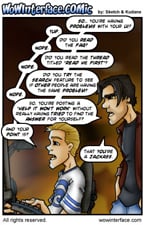
Clue #3, on Wednesday, 16 December 2009: A page that will make you chuckle
The answer: Our comic (yes, that is indeed Woody's work)
The word: Interface

Clue #4, on Thursday, 17 December 2009: The thread that talks about our rules
The answer: Our Holy Site Rules thread
The word: Graphics

Clue #5, on Friday, 18 December 2009: A place for authors to have version control
The answer: Our SVN repository (and hopefully soon to be Git as well)
The word: Code

Clue #6, on Saturday, 19 December 2009: A place to start troubleshooting why things don't work right
The answer: Our Help/FAQ section
The word: Script

Clue #7, on Sunday, 20 December 2009: The addon that was our 2008 April Fool's joke
The answer: High Roller (by Guillotine)
The word: Macro

Clue #8, on Monday, 21 December 2009: The place to see Seerah talk about nifty addons
The answer: Our Pick of the Week
The word: Function

Clue #9, on Tuesday, 22 December 2009: A nice little script Shadowed made for developers to easily upload to the site
The answer: WoWIModUploader (by Shadowed, as stated)
The word: Variable

Clue #10, on Wednesday, 23 December 2009: A place to get in touch with us
The answer: The Contact Us page
The word: Frame

Clue #11, on Thursday, 24 December 2009: The place to specify extra options when looking for specific things in the forum threads
The answer: The advanced forum search
The word: Event

Clue #12, on Friday, 25 December 2009: The way to get rid of the ads on the site
The answer: Our Premium Membership
The word: Forums

Clue #13, on Saturday, 26 December 2009: The place to get information on our IRC channel
The answer: The thread about other developer support systems we have in place
The word: IRC

Clue #14, on Sunday, 27 December 2009: The place to see the latest submissions to the site
The answer: The latest submissions list
The word: Warcraft

Clue #15, on Monday, 28 December 2009: The place to see the addons you like the best
The answer: The Favorites lists
The word: Blizzard

Clue #16, on Tuesday, 29 December 2009: A page that will help ease the Patch day addon stress
The answer: Our Survival Guide
The word: Patch

Clue #17, on Wednesday, 30 December 2009: An addon that will tell you if any of your other addons violate Blizzard's rules
The answer: Illegal AddOn (a very tongue-in-cheek addon by ScytheBlade1)
The word: Expansion

Clue #18, on Thursday, 31 December 2009: The easiest way to keep your addons updated
The answer: Minion (our updater)
The word: Updater

Clue #19, on Friday, 1 January 2010: The place where authors can have their own little mini-site on the site
The answer: Our portal system (one of the top bar options on the 'Projects' tab)
The word: Customization

Clue #20, on Saturday, 2 January, 2010: One of three places that gives reasons why an author's addon may keep getting put on hold or denied/deleted
The answer: The cleverly disguised thread that is stickied at the top of our Site help forum, sneakily entitled: Why does my upload disappear? Why is my update on hold?
The word: Lua


Thank you to everyone who played along, hope you guys had as much fun with it as we did. :)


Okay guys, last draw is tomorrow night. Here it is guys, your final clue:

Saturday, 2 January 2010's clue:
One of three places that gives reasons why an author's addon may keep getting put on hold or denied/deleted
Winner: Shiverchill

Friday, 1 January 2010's clue:
The list of where authors have their own little mini-sites on the site
Winner: JeBradSus

Thursday, 31 December 2009's clue:
The easiest way to keep your addons updated
Winner: tardmrr

Wednesday, 30 December 2009's clue:
An addon that will tell you if any of your other addons violate Blizzard's rules
Winner: tyeni

Tuesday, 29 December 2009's clue:
A page that will help ease the stress about your addons on Patch days
Winner: Shini

Monday, 28 December 2009's clue:
The place to see the addons you like the best
Winner: Geann

Sunday, 27 December 2009's clue:
The place to see the latest submissions to the site
Winner: AntonidasGrand

Saturday, 26 December 2009's clue:
The place to get information on our IRC channel
Winner: Takida

Friday, 25 December 2009's clue:
The way to get rid of the ads on the site
Winner: Slaaf

Thursday, 24 December 2009's clue:
The place to specify extra options when looking for specific things in the forum threads
Winner: Saiket

Wednesday, 23 December 2009's clue:
A place to get in touch with us
Winner: Zhinjio

Tuesday, 22 December 2009's clue:
A nice little addon Shadowed made for developers to easily upload to the site
Winner: Gamei

Monday, 21 December 2009's clue:
The place to see Seerah talk about nifty addons
Winner: khime

Sunday, 20 December 2009's clue:
The addon that was our 2008 April Fool's joke
Winner: MidgetMage55

Saturday, 19 December 2009's clue:
A place to start troubleshooting why things don't work right
Winner: damodar

Friday, 18 December 2009's clue:
A place for authors to have version control
(an extra hint, since I know the term won't make a lot of sense to non-programmers: this is what version control means, along with examples of types of version control)
Winner: Build

Thursday, 17 December 2009's clue:
The place that talks about expected behavior on our site
Winner: Mondoblasto

Wednesday, 16 December 2009's clue:
A page that will make you chuckle
Winner: Ailae

Tuesday, 15 December 2009's clue:
The place to specify extra options when looking for addons
Winner: Xianghar

Monday, 14 December 2009's clue:
The download area for special authors on the site
Winner: Chrippa

It's almost here! The Winter Veil holiday! And what is a holiday without gifts? So we've rounded up a whole bunch to give away to our users! We have 20 Grunty (the Murloc Marine) pet codes up for grabs! Rather than making it just a straight boring old raffle though, we thought we'd make it a bit more challenging. We're going to have a gift hunt, running throughout the duration of the in-game Winter Veil holiday.

Each day, for 20 days, we will hide a word somewhere on the site and post a clue to find it. Once you find the word, clicking on it will take you to the sign up page where you will enter the word. The next day we will draw one name out of those that found the word, awarding that person with that day's Grunty. At the same time, we'll post the next clue. As well, instead of only letting you enter once, we are letting you enter every day, and your entries will accumulate. This means that if you only find one word, you will have only one entry in each day's drawing. However, if you find all 20 words over the course of the contest, your name will be in the final draw 20 times. (Only one prize per winner though.)

The first clue will be posted on Sunday night (Dec 13) just before midnight est. The first winner will be drawn on Monday night (Dec 14) just before midnight est. Be sure to come back on Sunday night to start hunting for words!

The word* will look like this:


(* although Bacon isn't any of the actual words used, it's just an example)

(2)
Dec 03, 2009 - 1:58 AM - by Cairenn
Authors:

You've been asking for it for a while and we are happy to be able to say that you can now have multiple authors for a project on the site. AddOn/Project leaders can access a Team Manager popup from the Edit/Update AddOn screen either on the front page of the site (Community tab) or from the AddOn/Project page itself. Check out our Team Manager FAQ for full details.

In additional news we have reset the "compatible with" toggle on the site to 3.3 since it has been on the test server for a while now and will hopefully go live soon™. Any authors who have their addons already fixed up via the test server can go ahead and mark them as being 3.3 compatible.

Everyone:

And on the note of 3.3, we will have our ever popular AddOn Survival Guide ready to go when the patch goes live. Make sure to check it out throughout the week of the patch to make your addon updating easier.

(6)
Nov 23, 2009 - 5:00 PM - by Cairenn


Here's to the next 5!

(23)
Nov 13, 2009 - 6:32 PM - by Cairenn
Blizzard has been testing out an all-new Quest Tracking feature which they plan to include in content update 3.3. Read their preview to learn how the World of Warcraft questing experience will be vastly improved in content update 3.3 for characters of all levels here.
For the past four weeks, Mike "Fony" B. has been up to his eyeballs in super hero spandex. But all of that changes this week, as we delve back into the realm of swords and sorcery to check out the content in World of Warcraft's Patch 3.3 on the PTR!

In Episode Five of The BFF Report, Fony has decided to try his hand at the Forge of Souls, one of the new five person dungeons in Icecrown Citadel. Along the way, Fony takes a look at the new LFG system, checks out the Godfather of Soul(s), and enjoys some much needed time with kittens.

You can check out Episode Five of the BFF Report - and all the previous BFFs - by clicking here!

(10)
Nov 11, 2009 - 12:27 AM - by Cairenn
Remembrance Day. Veterans Day. Armistice Day. Poppy Day.

Whatever you call it, remember those who died and are dying
for our freedom and the freedom of others.
Freedom isn't free, and in war there are no unwounded soldiers.

Whether 100 years ago, 50 years ago, yesterday or tomorrow:

We won't forget. Thank you.


(4)
Oct 15, 2009 - 3:48 PM - by Dolby
Hear the whole truth about a game before you devote your time, energy, and paycheck!

The creator of "Greatest Twink Video Ever" series, as well as the "Completely Unbiased Aion Reviews" has now hooked up with our friends at ZAM to create a new series known as the BFF Report.

Check out Mike B., aka Fony's new weekly report here: http://www.zam.com/bffreport.html
News Archive
  Title, Username, & Date Replies
Download Clean-Up
10-14-2009 06:57 PM
14
Brood Mother Onyxia Returns! - Patch 3.2.2
09-22-2009 04:51 PM
0
International "Talk Like a Pirate" Day
09-18-2009 06:02 AM
5
Cairenn's BlizzCon 2009 Adventures!
09-09-2009 08:25 PM
1
WoW Client Patch 3.2.0 now live
08-04-2009 03:27 PM
0
Log in
User Name:

Password:

Not a member yet?
Register Free!

Learn more about a Premium Subscription.
WoWInterface's 3.3 Survival Guide!
Download Info
Top Favorites
Most Downloaded
Offical Blizzard Fansite

WoWInterface is proud to be an Official Member of the Blizzard Fan Site Program.
Portal Info
Author News
Bug Reports
Feature Req's

Hosted Projects
Link Us
WoWInterface

HTML:
.COMic
.COMic
Disclaimer
Author Credit is given on a simple basis. We credit the person who sends the mod in, and says "I wrote this" if you see your work here, and its credited to someone else contact us first using the link at the bottom of the site. Please remember more than one person can make the same mod.


The Network:
EQInterface | EQ2Interface | LoTROInterface | MMOInterface | War.MMOUI | WoWInterface | VGInterface | Allakhazam | Thottbot | Wowhead | Zam


©2009 MMOUI / ZAM Network
vBulletin - Copyright ©2000 - 2010, Jelsoft Enterprises Ltd.